Online Stamp Maker Free: The Complete Guide to Custom Stamps
How to design a company stamp, seal or approval mark online for free: the four shapes, what belongs on one, curved text and logos, which file format to download, and where a digital stamp works.
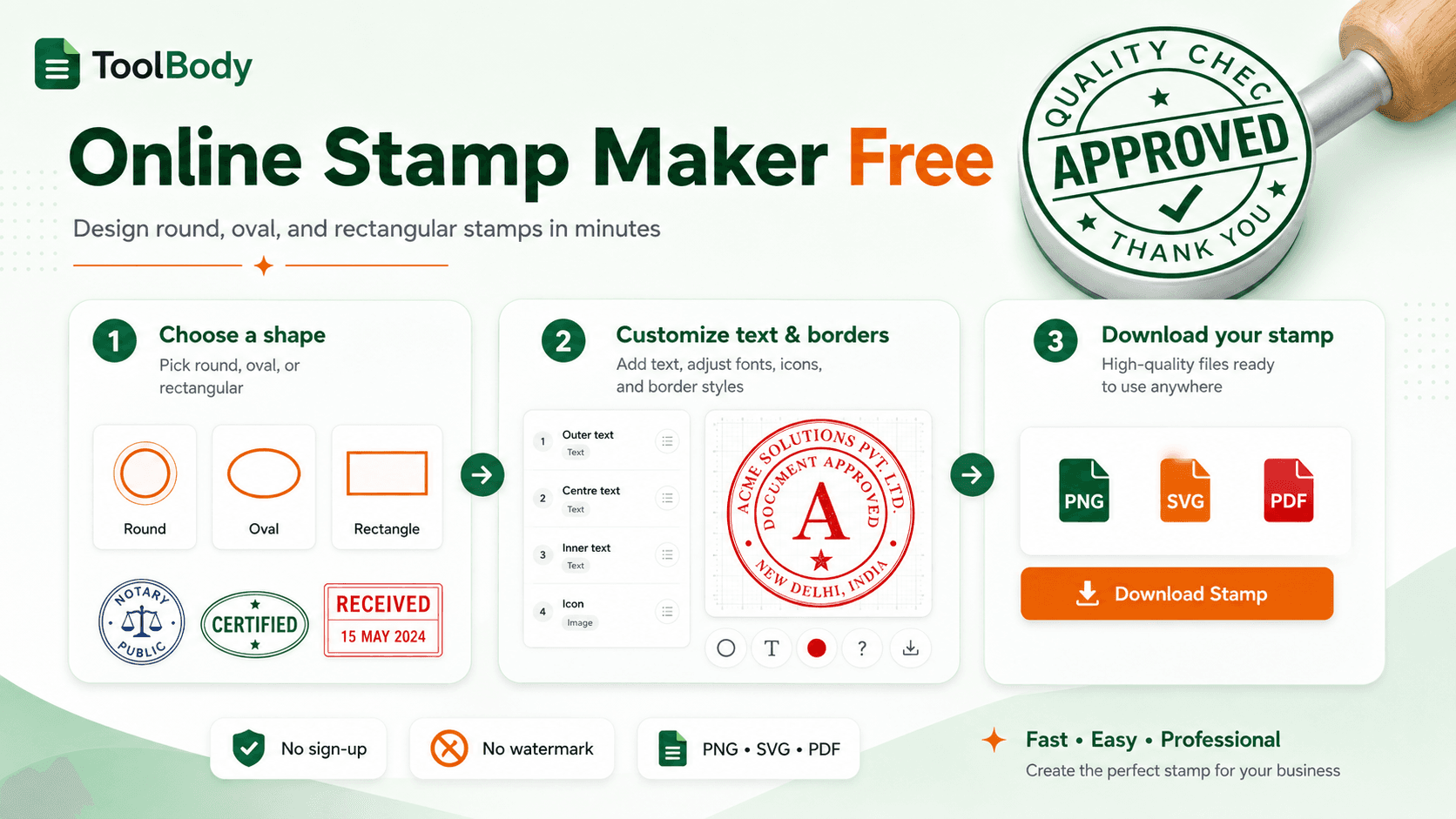
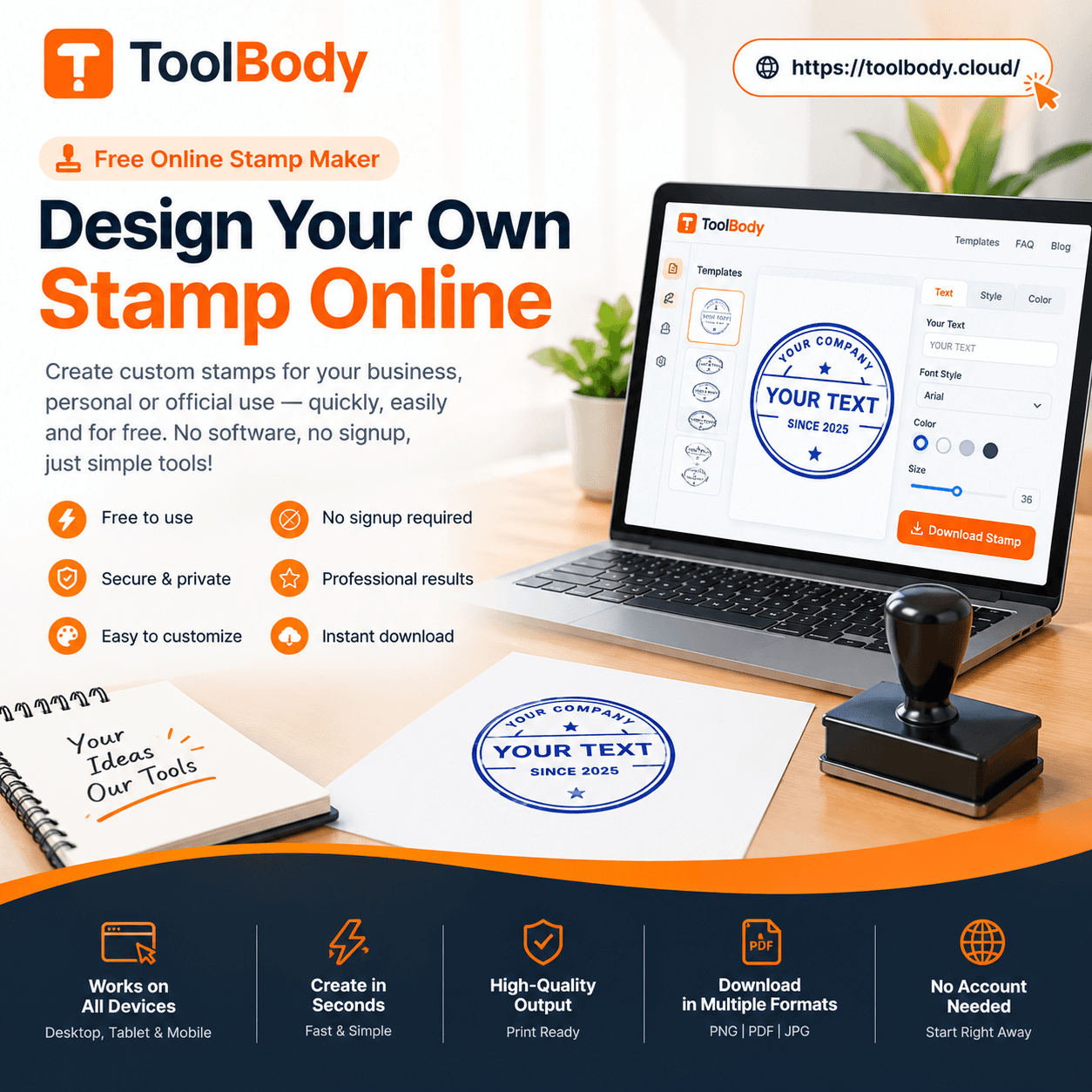
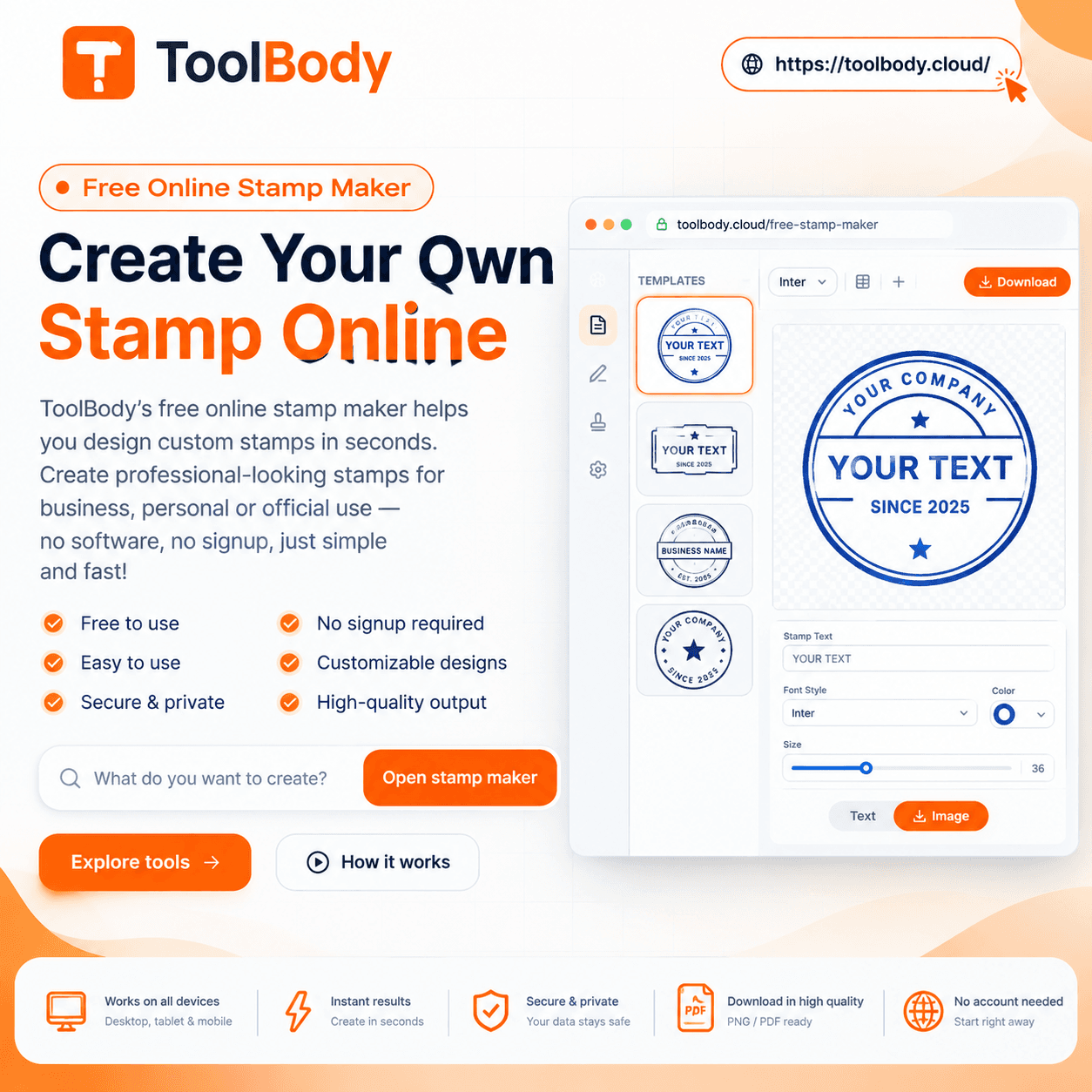
A free online stamp maker builds a company stamp, seal or approval mark in the browser and hands you a transparent PNG, an SVG or a PDF. Nothing is installed, no account is created, and the file carries no watermark. This guide covers the shapes, what belongs on a company stamp, how to design one, the file formats, and the places a digital stamp does and does not work.
If you would rather start now than read first, open the stamp maker — everything below describes what you will see there.
What an online stamp maker actually does
An online stamp maker is a browser-based editor for building a stamp image — round, oval, rectangular or square — out of text, borders and an optional logo, then exporting it as a file you can drop onto a document.
Nothing is manufactured. There's no shop, no proof to approve, no three-day wait. You type your company name, it curves around the ring the way a cut seal does, you pick a colour, and you download it. The result is a picture of a stamp rather than a stamp — which is exactly what you want when the document it's going on is a PDF.
The distinction matters more than it sounds. A physical stamp puts ink on paper. A digital stamp puts an image on a file. Most business documents never touch paper any more, so for most people the image is the useful object and the rubber one is the errand they were about to run for no reason.
Why people stopped ordering the physical one first
Ordering a rubber stamp used to be the default. You'd visit a shop or a print site, describe what you wanted, approve a proof, pay, and wait.
Then you'd use it on paper, scan the paper, and email the scan — arriving at a worse version of the file you could have made in the first place. A scanned stamp carries the paper's colour, the scanner's shadow, and a white rectangle around it that sits badly on anything that isn't plain white.
Three things changed:
Documents stopped being paper. Invoices, delivery notes, approvals and contracts move as PDFs. A stamp that only exists as rubber can't reach them without a scanner in the middle.
Transparency became achievable. A stamp exported with a transparent background sits on a coloured letterhead, a branded invoice or a designed contract without a white box behind it. Scans almost never manage this.
The design part got easy. Curved text used to be the reason you paid someone. Now it's a field you type into.
You may still want a physical stamp — for a reception desk, a school library, a clinic. That's covered further down, and a good online editor exports a file your print shop can actually use.
The four shapes, and which one your document needs
Shape isn't decoration. It's the first thing someone recognises, and different documents expect different ones.
Round
The default for a company seal. Round says official faster than any wording does — it's the shape used for corporate seals, notary marks and registration stamps almost everywhere. Company name curves around the outer ring, registration number or city sits on the inner ring, and the middle holds a logo or the year.
Use it for: company seals, official approvals, anything that needs to look like a registered entity signed off. Round stamp templates
Oval
Round's quieter relative. It fits a longer company name without shrinking the text to nothing, which is the practical reason most ovals exist. Common for professional practices — clinics, law firms, consultancies — where the name is three or four words long. Oval stamp templates
Rectangular
The workhorse. Address blocks, "RECEIVED" and "PAID" marks, signature-and-date lines, inspection stamps. A rectangle holds multiple lines of left-aligned text comfortably, which round shapes don't.
Use it for: address stamps, workflow marks, anything with more than about six words. Rectangular stamp templates
Square
Between the two. Common on approval marks where a rectangle would look stretched — a date box, a short "APPROVED" with initials underneath.
If you're unsure: round for identity, rectangle for information. Identity is who you are; information is what happened to the document. Browse all stamp templates
What belongs on a company stamp
There's no universal legal requirement, and anyone who tells you otherwise is describing one country's rules as if they were everyone's. Requirements vary — some jurisdictions mandate a registration number, some abolished company seals decades ago, some never required one.
What appears on most company stamps in practice:
The registered company name, spelled exactly as it is on the registration document. Not the trading name, not an abbreviation.
The registration or licence number, where the jurisdiction issues one.
The city or emirate of registration, often on the lower arc of a round stamp.
The legal form — Ltd, LLC, Pvt Ltd, FZE — as part of the name rather than as a separate line.
What usually doesn't belong: a phone number, a full street address, a slogan, an email. A stamp is an identity mark, not a business card. Contact details date faster than the company does, and a stamp with a dead phone number on it is worse than one without.
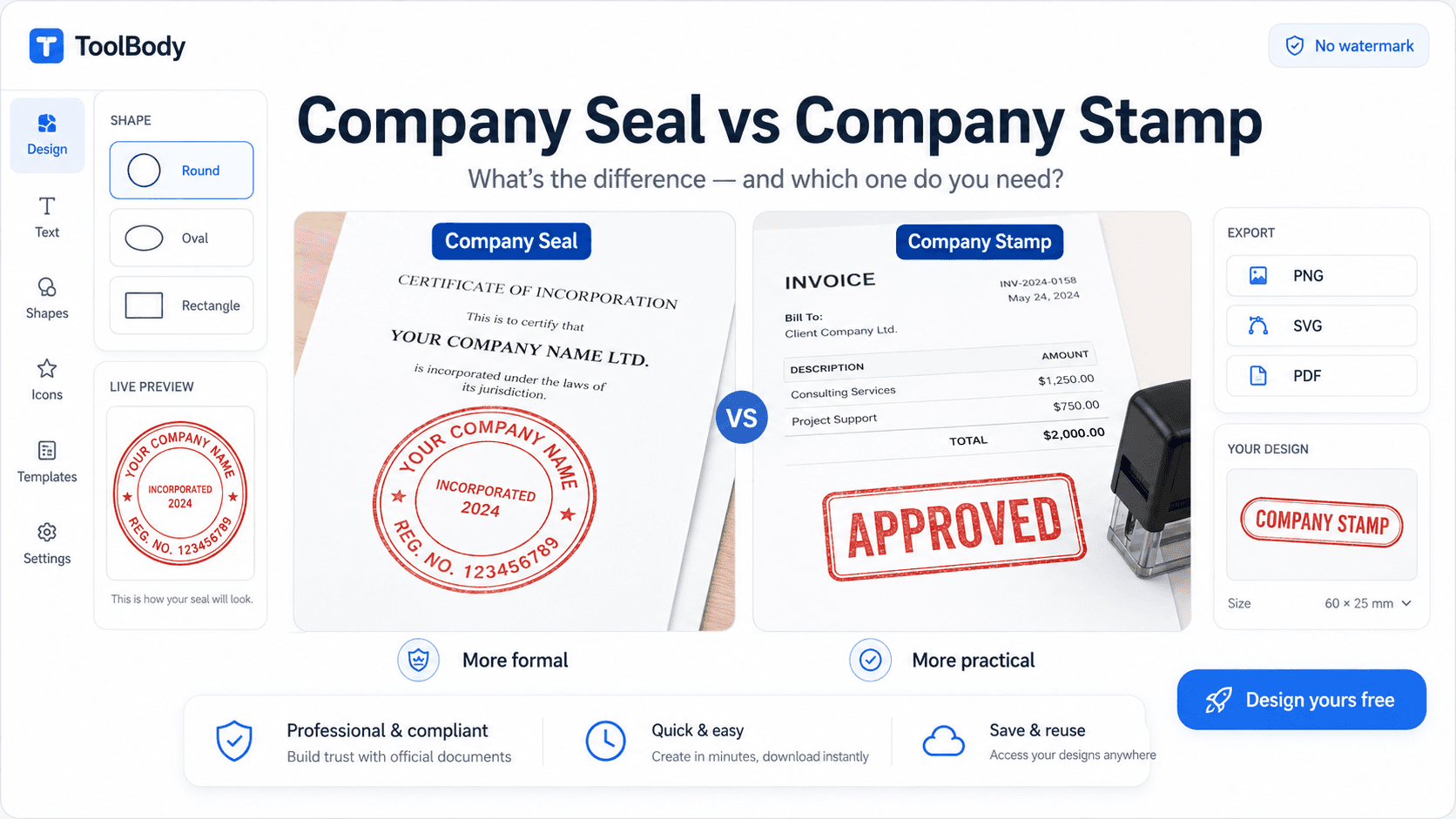
Check your own jurisdiction before treating a stamp as legally meaningful. A designed stamp is a mark of authorship; whether it carries legal weight depends on where you are and what the document is. For anything consequential, ask someone who knows your local rules. Company seal vs company stamp — the difference explained
Design tips that make a stamp look professional
The difference between a stamp that looks official and one that looks homemade comes down to a handful of decisions.
Choose the right shape for the job
Round: formal, traditional, balanced. Best for seals and proprietor stamps.
Oval: slightly more space for a center word while keeping the formal feel.
Rectangle: practical and clear. Best for address, approval, paid, and signature stamps.
Rounded rectangle: modern-looking alternative for approval and status stamps.
Keep the text hierarchy clear
Your company name should be the first thing the eye reads. Supporting text should be noticeably smaller. If everything is the same size, nothing stands out.
Use strong, simple fonts
Bold sans-serif fonts such as Arial, Helvetica, or similar remain readable when the stamp is small or printed on rough paper. Serif fonts like Times or Georgia give a more traditional, legal feel. Avoid thin, script, or decorative fonts for the main text. They may look elegant on screen but break up badly when inked.
Stick to one or two colors
Traditional stamp colors are blue, red, black, and green, and each carries an association:
Blue: the most common choice for official company seals; clearly distinguishable from black printed text
Red: urgency and status words such as PAID, URGENT, CONFIDENTIAL
Black: formal, neutral, prints well on any background
Green: approvals and financial sign-off in many organizations
Using your brand color is fine for a digital stamp, but make sure it has enough contrast against white paper.
Get the border right
A single solid line is the safest choice. A double circle adds formality and is common for company seals. Very thick or ornate borders reduce the space available for text and can look cluttered at small sizes.
Design at the size you will use
A stamp that looks fine at full-screen size may be unreadable at 3 cm wide on an invoice. Zoom out while designing, or download a test version and place it on a real document before finalizing. If the smallest text is not clear at actual size, remove a line rather than shrinking the font further.
Make sure the background is transparent
For digital use, this is non-negotiable. A stamp with a white square around it looks like a pasted-in image. A transparent PNG stamp sits over the document and looks like it was actually applied to the page.
Designing one, step by step
Pick the shape before anything else. It constrains how much text fits and where it sits, so choosing it last means redoing the layout.
Set the outer text. On a round or oval stamp this curves along the ring — company name on the top arc, city or registration number on the bottom. Keep it short; curved text becomes unreadable faster than straight text does.
Set the centre. A logo, a year, initials, or a short word like APPROVED. Leave it empty if the ring already says everything — white space reads as deliberate on a seal.
Choose the border. A double ring reads as more formal than a single one. A dashed or scalloped edge reads as less formal. Match the document, not your taste.
Pick the ink colour. If you have an existing physical stamp, match it — inconsistency between your paper and digital stamps is noticeable. If you don't, dark blue and deep red are the conventional choices; black reads as a printed graphic rather than as ink.
Check it at real size. Stamps are used small — often 35 to 45 mm across. A design that looks balanced at full screen can be illegible at the size it will actually appear. Zoom out before you download.
Export as transparent PNG, and take the SVG while you're there.
Curved text on the top and bottom arcs
The signature feature of round and oval stamps. Curved text follows the stamp's edge — top arc reads left-to-right around the top half; bottom arc reads in the opposite direction around the bottom half.
What you can do
Top arc — typically your company name, the stamp's main identifier
Bottom arc — typically supporting details (year founded, license number, city, tagline)
Both arcs combined — creates the conventional round-stamp look with company name on top and supporting context on the bottom
Why curved text matters
Generic image editors don't handle curved text well. You can fake it by manually rotating individual letters, but the result looks amateur. Dedicated stamp makers built curved text into the editor properly — type your text, see it appear correctly along the curve, no manual fiddling required.
The free online stamp maker handles this automatically. Type your company name into the top arc field, and the text follows the arc with proper character spacing and orientation.
Bilingual and multilingual curved text
Particularly important for businesses in markets with non-Latin scripts:
Arabic (right-to-left, contextual letter joining) — handled natively
Chinese, Japanese, Korean — character-based scripts work on arcs
Bilingual layouts — English on top arc, Arabic on bottom arc (the standard for UAE/GCC business stamps), or any other combination
The tool handles right-to-left text direction and letter joining without manual configuration.
Putting a logo in the middle
Upload your business logo as the center element of your stamp. Once uploaded, it appears in the stamp preview where you can resize and reposition it.
Supported logo formats
PNG with transparent background — cleanest result, recommended
SVG vector format — works for clean scaling
JPG — works but has white background that shows on the stamp (not recommended)
For the best result, use a transparent PNG. If your logo is currently a JPG with a white background, use a free background remover like remove.bg before uploading.
Logo size recommendations
Higher resolution produces sharper stamps. Aim for at least 500x500 pixels for round stamps. SVG vector logos scale without any quality loss, so dimensions don't matter as much.
Logo positioning
The uploaded logo appears in the geometric center of the stamp by default. You can:
Resize using corner handles (maintains proportions)
Reposition by dragging
Combine with center text — add small text below the logo for entity type or supporting info
For deeper guidance on logo-centered stamp design, see our companion guide on how to design a logo stamp for your business.
The file format decides where the stamp works
This is the part most guides skip, and it's the part that determines whether your stamp is usable.
Transparent PNG — the one you want for documents. Only the stamp's ink is visible; everything around it is empty. It drops onto a white invoice, a cream letterhead or a dark-header PDF and looks like it belongs. If you export a stamp with a white background instead, you get a white rectangle sitting on top of your document, which is the single most common way a good stamp design ends up looking amateur.
SVG — vector, so it scales to any size without softening. This is what a print shop wants if you ever order the physical version, and it's what you want if the stamp will appear at very different sizes across documents. Not all document software accepts SVG, which is why PNG remains the everyday choice.
PDF — useful when the stamp is the deliverable itself rather than something you're placing into another file, and when you want the design fixed exactly as drawn.
The practical answer for most people: PNG for using it, SVG for keeping it. Export both. The PNG goes on today's invoice; the SVG is what you'll send a print shop in two years without having to redesign anything.
Putting the stamp on a document
Having the file is half the job.
On a PDF — most PDF readers let you place an image directly. If yours doesn't, the reliable route is to place the stamp in the source document and export the PDF again, which also keeps the stamp at proper resolution rather than scaling a placed image. How to add a stamp to a PDF for free
In Word or Google Docs — Insert, then Image, then set text wrapping to "in front of text" so the stamp floats rather than pushing paragraphs around. Resize by the corner handle so the proportions hold.
On an invoice — if you're building the invoice anyway, place the stamp and the signature during the build rather than stamping the finished PDF. Fewer steps, and the output stays clean. How to add a signature and stamp to an invoice
A note on placement: put the stamp near the signature block or the document's authority line, overlapping the edge of the signature slightly if the convention where you are expects that. Centred at the top looks like a watermark, which is a different thing entirely.
The kinds of business stamp people actually make
Most businesses end up with more than one stamp. Here are the designs people create most often, and how they differ.
| Stamp type | Typical shape | What it usually contains | Common use | |---|---|---|---| | Company seal | Round or double-circle | Company name, location or registration number, logo | Contracts, official letters, bank and government forms | | Address stamp | Rectangle | Business name, address, phone, website | Envelopes, packaging, letterheads, delivery notes | | Approval stamp | Rectangle or oval | APPROVED / REVIEWED, name, title, date line | Internal sign-off, purchase orders, reports | | Paid / Received stamp | Rectangle | PAID or RECEIVED, date, reference field | Invoices, receipts, incoming mail | | Signature stamp | Rectangle | Signature image with name and designation | Fast document signing, cheques, certificates | | Date stamp | Rectangle | Date field, optional status word | Logging, filing, document control | | Proprietor stamp | Round or rectangle | "For [Company Name]", Proprietor, signature line | Sole proprietorships, shop receipts, invoices |
A round stamp maker is the right starting point for the seal and proprietor stamps. Rectangular layouts work better for anything with multiple text lines, because straight text holds more information at a smaller size.
Who uses one
Startups and new companies
New businesses need a seal for bank account opening, supplier onboarding, and their first contracts, usually before there is a budget for branding work. A free generator produces a clean seal on day one.
Sole proprietors and shop owners
Retailers, salons, repair shops, and small trading businesses use stamps constantly on receipts and delivery notes. A "For [Business Name] – Proprietor" stamp with a signature line is one of the most common designs created.
Freelancers and consultants
A PAID or APPROVED stamp adds a professional touch to client paperwork. Freelancers who already create documents with the free invoice maker can drop their stamp directly onto each invoice before sending it.
Accountants, lawyers, and consultancies
Professional services firms use reviewed, certified, and true-copy stamps every day. A generator lets a partner create a personal approval stamp with their name and designation in minutes.
Clinics, schools, and institutions
Medical centers, training institutes, and schools stamp certificates, reports, and letters. A round institutional seal with the organization name and an emblem is the standard design.
Real estate and property management
Agents and property managers stamp tenancy contracts, handover forms, and receipts. Quick access to a digital stamp means documents can be finalized from a phone on site.
Common mistakes when making a stamp online
Six mistakes that produce ugly or unusable stamps.
Mistake 1 — Cramming too much text on the stamp
A stamp at 35mm round has limited readable space. Trying to fit your company name, address, phone, email, website, slogan, license number, and entity type all on one stamp makes everything illegible. Pick the 2-3 most important elements and stop there.
Mistake 2 — Using thin decorative fonts
Elegant scripts and thin serif fonts look great on a computer screen at full size. At actual stamp size, the fine strokes vanish, leaving a blurry blob. Use medium or bold weights for any text on stamps.
Mistake 3 — Designing in JPG format
JPG doesn't support transparency. If you somehow end up with a JPG stamp, you've got a white box around it that ruins the appearance on any colored document. Always export as PNG (or SVG).
Mistake 4 — Designing too small
Drawing the stamp at a tiny canvas size means it gets pixelated when scaled to actual use size on a document. Design at high resolution; the stamp maker exports high-resolution PNG by default.
Mistake 5 — Mismatched fonts
Using one font for the top arc and a different one for the bottom arc looks chaotic. Use the same typeface (or at least the same family) throughout the stamp.
Mistake 6 — Mistaking the stamp for a legal authentication
A stamp identifies the business but doesn't authenticate the document the way a regulated signature does. For everyday invoices, contracts, internal documents — stamps are fine. For high-stakes legal documents requiring authenticated signing, use a regulated e-signature platform.
What this tool does not do
A genuinely free tool isn't a magical tool — there are real limits on what any design tool can do.
Physical stamp production
The tool designs digital stamps. Physical rubber stamps still cost money to produce ($15-30 from rubber-stamp manufacturers) — but you only pay for the physical materials and labor, not the design.
Account-based design management
There's no permanent cloud account that saves all your designs across years. Drafts live in your browser session; permanent storage is the SVG file you download.
Multi-color physical stamp production
Multi-color digital stamps work fine. Multi-color physical rubber stamps require multi-pass printing that most manufacturers don't offer (and that costs significantly more if available). For physical stamps, design with a single color.
Regulated authority stamps
Police badges, government agency seals, embassy stamps, notary seals, court stamps — these are off-limits regardless of which design tool you use. The free Stamp Maker doesn't help with these (legally it can't).
Cryptographic authentication
A stamp image is just an image. For legally tamper-evident document signing, use a regulated e-signature platform. For everyday business stamps, the free tool's output is sufficient.
Online generator, print shop, or designer
Businesses usually consider three ways to get a stamp. Here is how they compare.
| Factor | Free online stamp generator | Print or stamp shop | Freelance designer | |---|---|---|---| | Cost | Free for design and digital download | Design fee plus manufacturing | Design fee, often the highest option | | Time to first result | Minutes | Days | Days to a week | | Digital file included | Yes, immediately | Sometimes, often on request | Yes | | Control over design | Full, real-time preview | Limited to what the shop offers | High, but through feedback rounds | | Revisions | Unlimited, instant | Extra cost and delay | Usually limited rounds | | Physical stamp | Send the file to any manufacturer | Included | Send the file to a manufacturer | | Best for | Small businesses, freelancers, quick approval stamps, digital use | Businesses that only need a physical stamp | Complex branded emblems and heraldic seals |
For the vast majority of company seals, approval stamps, and address stamps, an online generator gives you a professional result at no cost and leaves the door open to print later.
When you still want a physical stamp
Digital doesn't cover everything. You still want rubber when:
Someone hands you paper across a counter — a library, a clinic reception, a customs desk.
Volume is high and physical is faster. Stamping forty delivery notes beats opening forty files.
A process or an inspector specifically requires an ink impression.
In those cases, design it online anyway and send the SVG to a print shop. You'll see exactly what you're getting before you pay, the file is print-ready, and you keep the digital version for the documents that never become paper.
FAQs
Yes - genuinely free, no sign-up, no watermark, no daily limits, no hidden upsells. The free online stamp maker on ToolBody is browser-based and processes everything locally during your session. The downloaded file is fully yours to use - no branding from the tool, no expiration date, no licensing restrictions. Many other tools claim to be free but watermark exports, require account creation, or lock formats behind paid tiers - those aren't free in the practical sense. The genuinely free option exists.
No. The downloaded PNG and SVG files contain only your stamp design - no watermark, no tool branding, no 'made with' text. The files are clean and ready to use immediately on any document. This is one of the key differences between genuinely free tools and freemium tools that watermark exports to force you onto paid plans.
Three main formats are supported: PNG with transparent background (best for digital documents like PDFs, Word, Google Docs, emails, web pages), SVG vector format (best for sending to a rubber-stamp manufacturer to produce a physical stamp), and PDF (for direct insertion into PDF documents). Download both PNG and SVG if you might want a physical version later - the SVG is the print-shop-ready source file.
No. The whole tool runs in your web browser. There's no app to install, no plugin, no download required. Works on Windows, Mac, Linux, iOS, Android - anywhere with a modern browser. The first time you use it takes about 60 seconds to learn; subsequent uses take seconds because the interface is straightforward.
Yes. You can upload your own logo or choose from built-in SVG icons to personalize your stamp design.
PNG is a raster image format, while SVG is a scalable vector format. PNG is convenient for everyday digital documents, while SVG is useful when you need artwork that can be resized without losing sharpness.
Yes. A transparent stamp image can be placed into a PDF using compatible PDF editing software
If the stamp maker is mobile-friendly, you can use it directly through your Smartphone browser without installing desktop design software.
The stamp maker is browser-based and saves drafts in your browser's local storage during your session. If you stay on the same device and browser, you can return to refine your design. For permanent storage, download the SVG file - it's the editable source format. PNG exports are flattened images that can't be edited (the design is locked in). Most users save both formats: SVG as the editable master, PNG as the ready-to-use version.
Yes. Many small businesses use it for approval stamps, company seals, and notary-style stamps, though you should confirm any local legal requirements for official seals.
Yes. Download the SVG export from the stamp maker - SVG is vector format that rubber-stamp manufacturers can produce physical stamps from. Send the SVG file to any rubber-stamp print shop with your size specification in millimeters (most business stamps are 30-40mm round). Typical cost: $15-30 per physical stamp, 2-7 business days for delivery. The same SVG file works for multiple stamp orders.
Yes - regulated authority stamps. Don't design stamps that look like police badges, military insignia, government agency seals, embassy or consulate stamps, court stamps, notary seals, or any official authority mark. Even when the design is in your own name, anything that visually resembles regulated authority can constitute impersonation or forgery in most jurisdictions. The free stamp maker is for legitimate business and personal stamps - not for replicating government or legal authority marks.