
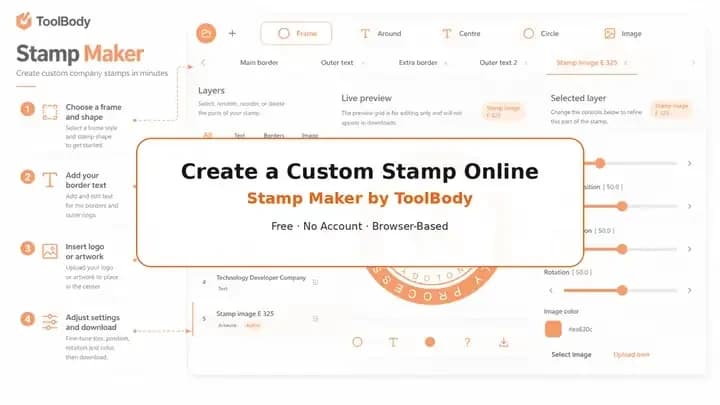
Six tools. Six downloads. Zero sign-ups.

You don't need a $30/month accounting suite to send one invoice or one quotation. You don't need payroll software to write a payslip for three employees. You don't need Photoshop to make a company stamp. And you definitely don't need to hand over your email just to sign a PDF.
ToolBody is a small set of free online business document tools that do exactly six things, and do them fast: stamps, invoices, quotations, payslips, signatures and QR codes. Open the one you need, finish the job in your browser, download a clean file. That's it. No account. No watermark. No "upgrade to remove this" pop-up at the worst possible moment.
Open the Stamp Maker Open the Invoice Maker Open the Quotation Maker Open the Payslip Generator Open the Signature Maker Open the QR Code Generator
Why this site exists
Every small business has the same boring problem: the tools built for big companies are wildly over-engineered for what most people actually need.
You want to send an invoice. The invoicing app wants you to set up a customer database, a tax profile, a payment integration, and a 14-day trial that auto-renews into £19/month.
You want to quote a job. The quoting software wants a CRM first.
You want a payslip for the two people you employ. The payroll platform is priced per seat, per month, with a minimum you'll never reach.
You want a stamp. The "stamp maker" wants you to design it for free and then pay $9 to remove the watermark.
You want a signature on a contract. The e-sign platform wants three seats minimum and a contract of its own.
Most people just need a clean file. A PNG. A PDF. A thing they can drop into Word or attach to an email. So we built tools that get you to that file in about two minutes, and stop there. No funnel. No upsell. No "sign up to download" wall.
That's the whole product.
The six tools
🟣 Stamp Maker — design a company stamp, seal, or approval mark
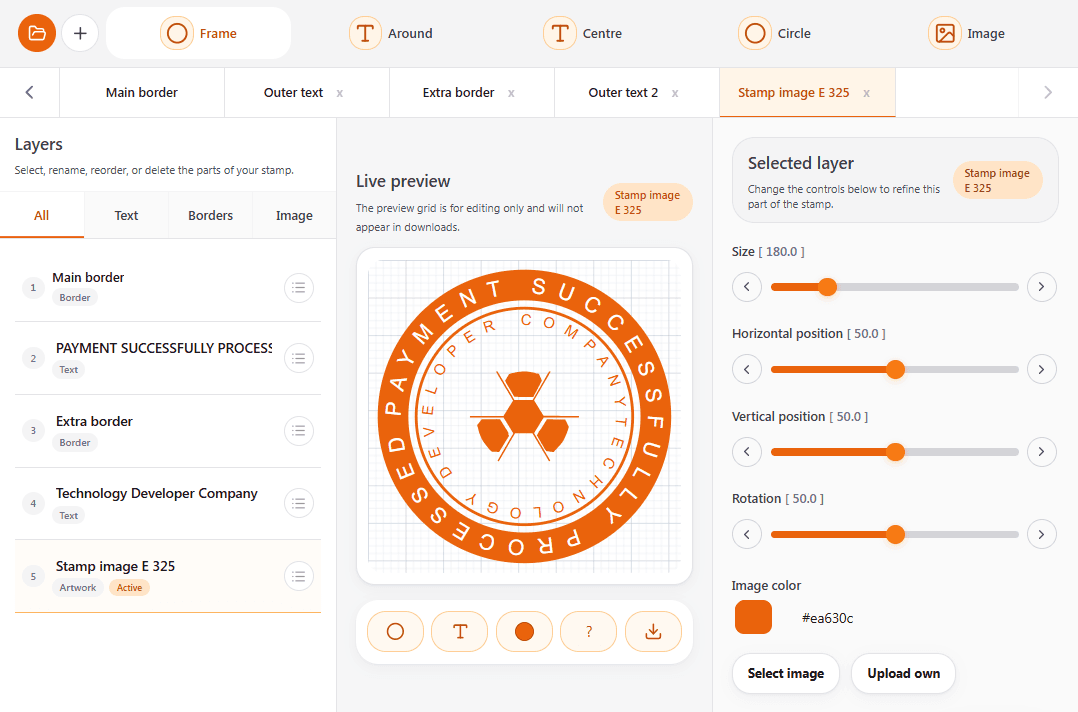
Need a round company seal? An "Approved" mark for internal paperwork? A "Paid" stamp for invoices? A custom stamp for a school, clinic, or office?
The Stamp Maker lets you design it in your browser and download it as a transparent PNG, SVG, or PDF. Pick a shape (round, oval, rectangle), add your text, adjust the font and border, drop in a logo if you want. The preview updates as you type, so what you see is what downloads.
It works for digital documents (drop the PNG straight onto a PDF or a Word file) and for physical production too — the SVG export is print-shop friendly if you ever want a real rubber stamp made. If you'd rather not start from a blank canvas, the stamp templates gallery has company seals, school stamps and workflow marks already laid out.
Most common uses:
Company seals with name + registration number
"Approved", "Paid", "Received", "Copy", and "Draft" workflow marks
School and library stamps (grading, date received, issued-by marks)
Branded stamps for client-facing documents
🟠 Invoice Maker — build a professional invoice and download the PDF
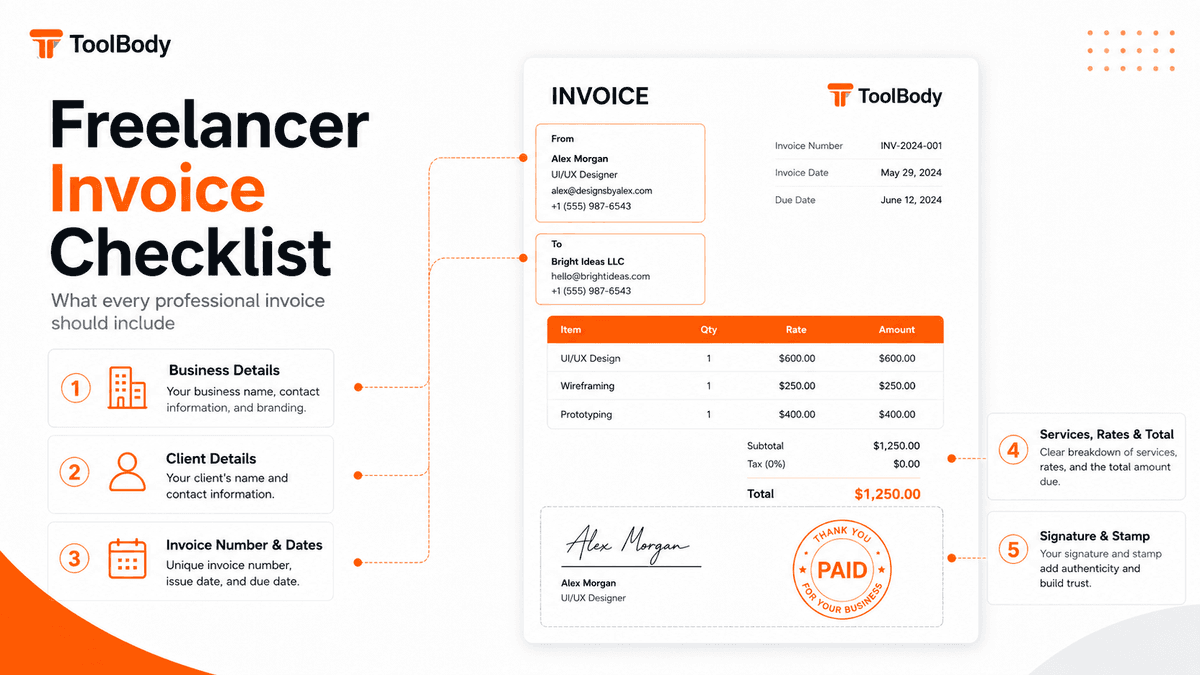
Most "free" invoice generators want your email before they'll let you download. The Invoice Maker doesn't. Fill in your details, add your line items, set tax and discounts, hit download. Done.
A few things that make it different from the usual "free" tools:
Auto-calculated totals. Type rates and quantities; the subtotal, tax, and grand total update as you go. No manual maths.
Signature and stamp built in. You can upload (or draw) a signature and drop a company stamp directly onto the invoice before you download. Most free invoice tools skip this entirely.
Draft continuity. Close the tab, come back later — your draft is still there. No account needed.
Clean PDF output. No "made with ToolBody" footer, no logo watermark. The PDF looks like your invoice.
Great for freelancers, small businesses, contractors, and anyone who needs to bill a client without first becoming a part-time accountant.
🟡 Quotation Maker — price the work before it starts
A quotation is a price you're willing to be held to. An invoice asks to be paid; a quotation asks to be accepted — which is why it needs a reference number, a date it expires, and a place to sign.
The Quotation Maker builds one on a live canvas. Add priced line items, set the tax, put in a valid-until date, add a signature line, and download a print-ready PDF. The totals calculate themselves, and the draft stays in your browser if the client comes back with questions.
It's built to sit in front of the Invoice Maker: quote the job, get it accepted, do the work, then bill it — with the same line items carrying through so the invoice matches what was agreed.
Who uses it:
Trades and site work pricing materials, labour and days before anyone starts
Studios and freelancers writing scope down before the work does
Suppliers holding a price for a quantity for a stated number of days
Anyone bidding on a tender who needs a clean, referenced PDF to submit
🔴 Payslip Generator — earnings, deductions and net pay, as a PDF
Payroll software costs more than it's worth below a certain headcount. But a payslip is still a document your employees need — for a bank, an embassy, a landlord, or their own records.
The Payslip Generator makes the document. Add the employer and employee, set the pay period, list earnings and deductions line by line, and the net pay works itself out. Download a print-ready PDF, one file per employee per month, in a format that still opens in five years.
It doesn't assume a country. Set the currency you pay in, name the deductions you actually make — tax, pension, loan repayment, unpaid absence — and the payslip reads the way payslips read where you are.
Who uses it:
Small teams paying a few employees monthly
Households paying domestic staff who need a written record
Companies with no HR system yet
Contractors and part-time staff paid per shift or per day
🟢 Signature Maker — draw or type a transparent PNG signature
Two ways to make a signature:
Draw it with your mouse, trackpad, or touchscreen. Adjust stroke weight and ink color until it looks right.
Type it — enter your name, choose a handwriting-style font, and the signature is generated for you.
Either way, you download it as a transparent PNG. That detail matters more than it sounds: a transparent background means your signature sits cleanly on any document — white paper, coloured letterhead, styled PDF — without an ugly white box around it. Most scanned signatures fail this test. Ours doesn't.
Then just insert > image in Word, Google Docs, or your PDF tool. Resize it. Place it on the signature line. Done. Or drop it straight onto an invoice or quotation made here — both tools have a place for it.
Quick honest note: ToolBody produces signature images, not certified cryptographic signatures. For high-stakes legal contracts where authentication matters, use a proper e-signature platform. For everyday paperwork, image signatures are common and convenient.
🔵 QR Code Generator — nine kinds of code, none of them expire
Most free QR generators hand you a redirect. The code points at their server, their server points at you, and the day they decide to charge — or simply switch it off — every flyer you printed stops working. You were renting your own QR code and didn't know it.
The QR Code Generator writes the destination into the code itself. Nothing routes through us, so there is nothing to expire and no scan limit to hit.
Nine types, not just links: a WiFi network guests join without typing a password, a vCard that saves itself to a phone, a WhatsApp chat that opens with your number already in it, a menu, a ticket, directions to your door.
Then make it yours — colours, corner and dot styles, your logo in the middle — and download as PNG, SVG or PDF.
What "free" actually means here
A lot of "free" tools online have asterisks. Ours don't. So we'll be specific.
Free to use. Every feature, every export, every time.
No sign-up. No email, no password, no "confirm your account" link in your inbox.
No watermarks. Your downloads carry zero ToolBody branding. They're your files.
No account, no watermark, no paywall. Make one stamp this week. Make fifty payslips next month. Same experience, same zero cost.
No payment details on file. We literally don't have a billing system. There's nothing to forget to cancel.
We're not running a freemium trial. There's no premium tier hidden behind the "free" button. The whole product is the free product.
Who actually uses ToolBody
Small business owners
You're running the whole thing — clients, products, accounts, admin, payroll — usually before lunch. You don't have time to evaluate three SaaS platforms to send one invoice or one payslip. ToolBody gives you professional output without the procurement saga.
Freelancers and independent contractors
Billing should not eat into the time you spend doing actual work. Quote the job, get a yes, make a clean PDF invoice, add your signature, send it. The whole loop takes minutes, not an afternoon.
Office managers and admin staff
You produce more documents in a week than most people see in a month. Approval stamps, quotations, invoice paperwork, monthly payslips, signed agreements — ToolBody is built around exactly these jobs, with the controls right where you'd expect them.
Startups and early-stage teams
Before you've set up "proper" systems, you improvise. ToolBody fills that gap so your first 20 client documents — and your first payslips — don't look like they were made in WordArt.
Schools and small organizations
Library stamps. Grading stamps. Date-received stamps. Department seals. Payslips for a handful of staff. All the small-format administrative documents that don't justify a software subscription or a £200 print order.
How it works (it's three steps, every time)
Step 1 — Open the tool you need
Click one of the six tools from the home page. It loads instantly in your browser. No login screen. No tutorial you have to skip. No "let us walk you through the workspace" dialogue.
Step 2 — Customize your output
Type your details, pick a layout, adjust the bits that need adjusting. Every tool has a live preview so what you see on the right is what downloads on the left.
Step 3 — Download and use
One click. The file saves to your device — PNG or SVG or PDF, depending on the tool. Drop it into a document, attach it to an email, send it to a print shop, file it with your books. It's yours.
No confirmation email. No "we've created an account for you." No "check your inbox to verify."
Why browser-based beats desktop software (for this kind of job)
A few years ago the question was "which software should I install?" These days, for everyday document jobs, that's the wrong question. Here's why we built ToolBody entirely browser-based:
No installation, no maintenance. Nothing to download, nothing to update, nothing to break when your OS pushes a new version.
Device-independent. Start a stamp on your laptop, finish it on your phone, download it from a tablet. The tool doesn't care.
No subscription overhead. Per-seat pricing, monthly billing, annual commitment discounts — all of those disappear when the tool is just… free.
Faster from zero to output. No setup time. No learning curve. The time from "I need a payslip" to "I have a payslip" should be measured in minutes, not afternoons.
Lower IT risk for small teams. Most small businesses don't have a dedicated IT person. Every tool that needs installing is a future support ticket. Browser-based removes that whole category.
How ToolBody is different from the other "free" tool sites
There are other free document tool sites out there. The difference comes down to a few specific things most of them get wrong:
The download is never behind a gate. No sign-up before you can save your file. No "verify your email." No payment method requested for a "free trial."
No usage limits. Some platforms cap you at three free documents per month. We don't.
No watermarks, ever. Watermarks are a monetization tactic, not a technical necessity. We don't use them.
Purpose-built, not adapted. Canva can make a stamp. Word can make an invoice. Excel can make a payslip. But none of them is built for the job — you're bending a general-purpose tool to a specific task. Each ToolBody tool is built around exactly one workflow.
The tools work together. Make a stamp and a signature, drop both onto an invoice or a quotation. Quote a job, then bill it with the same line items. Nothing to export and re-import.
Your data stays on your device. Business names, client details, invoice amounts, salaries — none of it leaves your browser. We don't store it because we don't need to.
A short word on what ToolBody isn't
We're not trying to replace your accounting software. We're not a payroll system that files your taxes. We're not a contract management platform, a CRM, an e-signature provider with legal audit trails, or a print-on-demand stamp manufacturer.
We're six small, focused tools that solve six small, recurring document jobs. That's the whole pitch.
If you need full accounting, get accounting software. If you need payroll that calculates statutory deductions and files returns, get a payroll provider. If you need legally binding e-signatures with audit logs, get DocuSign or similar. If you need a hundred physical rubber stamps shipped, find a stamp shop.
If you need a clean PNG, a tidy PDF, or a transparent signature right now — that's where we live.
Built for the businesses doing the real work
Enterprise companies have IT departments, software budgets, and procurement teams. They have dedicated tools for every document task, paid for at scale. Small businesses, freelancers, and independent administrators don't have any of that — and they shouldn't need it to produce professional documents.
ToolBody exists because the gap between what large companies take for granted and what small businesses can actually access is unnecessary. A professional stamp, a clean invoice, a proper quotation, a monthly payslip, a digital signature — these aren't advanced capabilities. They're basic requirements of doing business credibly.
So they should be free, accessible, and fast. Full stop.
That principle drives every decision about how this site is built: no accounts, no fees, no watermarks, no bloat. Just tools that work, for the people who need them.
As we add new tools — and we will — that doesn't change. ToolBody will always be free. It will always run in your browser. It will always put the file in your hands without asking for anything in return.
Try the Stamp Maker Try the Invoice Maker Try the Quotation Maker Try the Payslip Generator Try the Signature Maker Try the QR Code Generator