Free Online Stamp Maker – Create Custom Rubber Stamps in Seconds
Create a free online stamp maker design in seconds. Choose a template, add your text & logo, customize colors, and download your custom rubber stamp instantly — no signup needed!
Free Online Stamp Maker – Create Custom Rubber Stamps in Seconds
In today's fast-paced digital world, businesses and individuals alike need quick, affordable solutions for everyday tasks. One such need is creating official-looking stamps for documents, invoices, and business paperwork. This is where a free online stamp maker comes into play — a tool that allows anyone to design a professional, custom rubber stamp without leaving their browser.
Whether you're a small business owner, freelancer, teacher, or someone managing personal paperwork, an online stamp maker gives you the power to create stamps instantly, without the need for expensive software, design skills, or long waiting times from traditional stamp shops.
What Is a Free Online Stamp Maker?
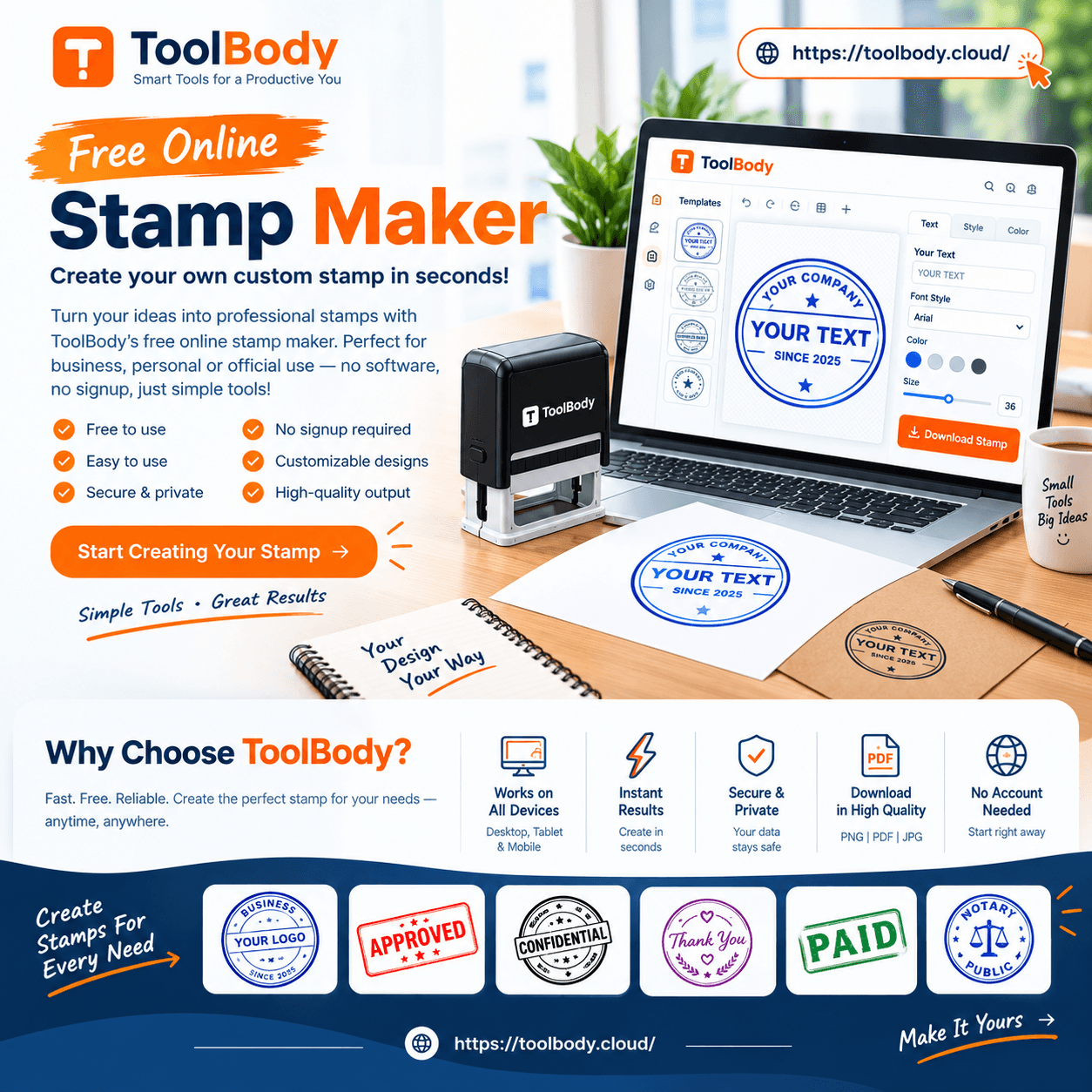
A free online stamp maker is a web-based tool that lets users design custom stamps directly through their browser. Instead of visiting a physical stamp-making shop and waiting days for your order, you simply open the tool, select a template, type your text, adjust the design, and download your stamp — all within minutes.
These tools typically offer:
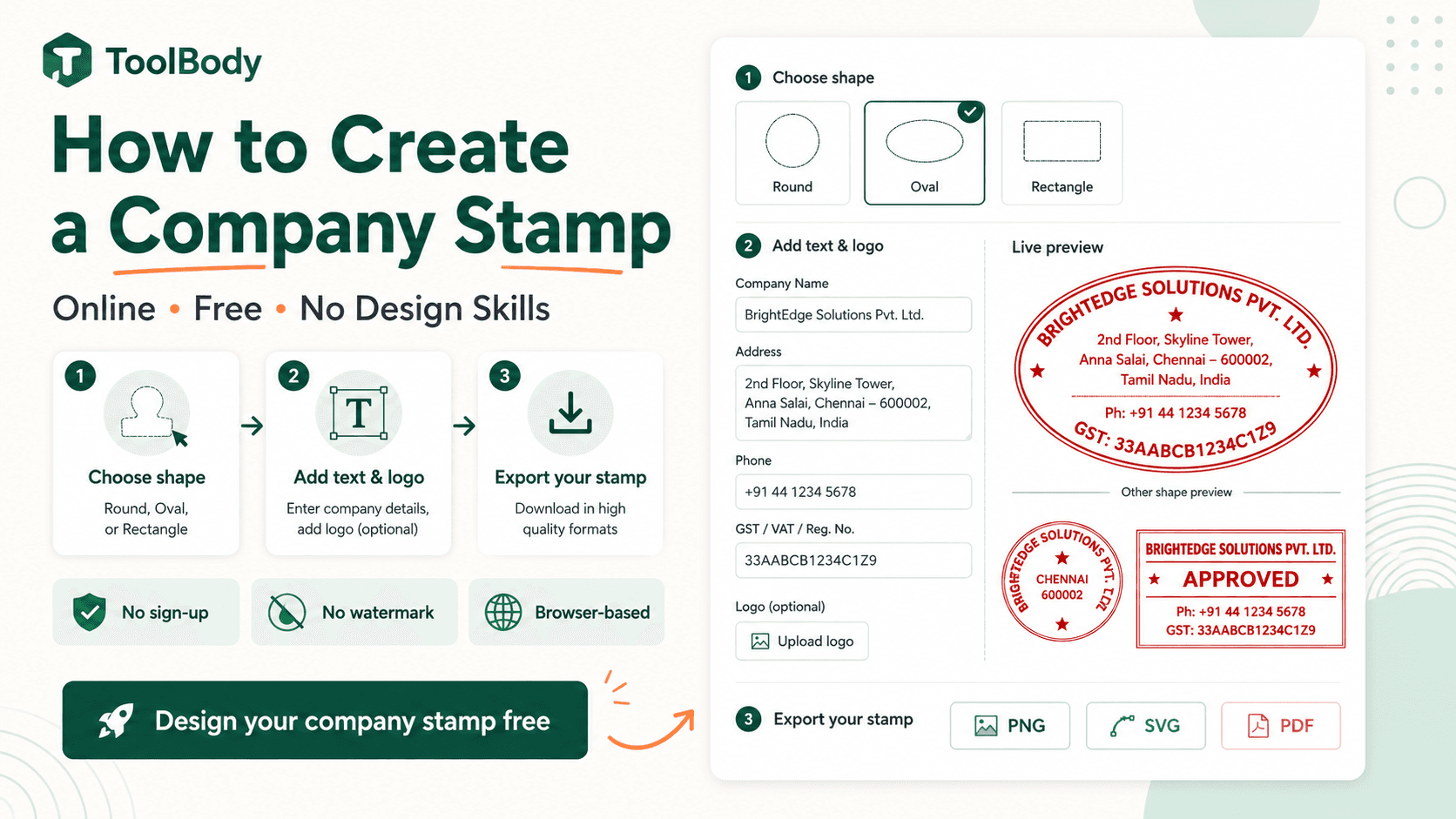
Multiple shape options (round, rectangular, square, oval)
Customizable fonts and text sizes
Logo and image upload support
Ink color selection
Border and background style options
Download formats like PNG, PDF, SVG, or EPS
Because everything happens online, there's no need to install any software. Most tools run entirely in your browser, meaning your data stays private and nothing gets uploaded to external servers unless you choose to save your design.
Why Use a Free Online Stamp Maker?
There are several reasons why individuals and businesses are increasingly turning to online stamp makers instead of traditional stamp shops.
1. Speed and Convenience
Traditional stamp-making involves visiting a shop, explaining your requirements, and waiting for production — sometimes several days. With a free online stamp maker, the entire process takes just a few minutes. You can create, preview, and download your stamp instantly.
2. Cost-Effective
Physical stamp makers can charge a premium for custom designs, especially if you need multiple stamps or frequent changes. Free online tools eliminate this cost entirely — perfect for freelancers, students, and small businesses working with a tight budget.
3. Full Creative Control
With an online stamp maker, you're not limited to a shop's predefined templates. You can experiment with different shapes, fonts, colors, and layouts until you get the exact look you want. This level of customization is rarely available at a physical stamp shop.
4. No Design Skills Required
You don't need to know Photoshop or any complex design software. Most online stamp makers use simple drag-and-drop interfaces or straightforward text fields, making them accessible even to complete beginners.
5. Instant Digital Use
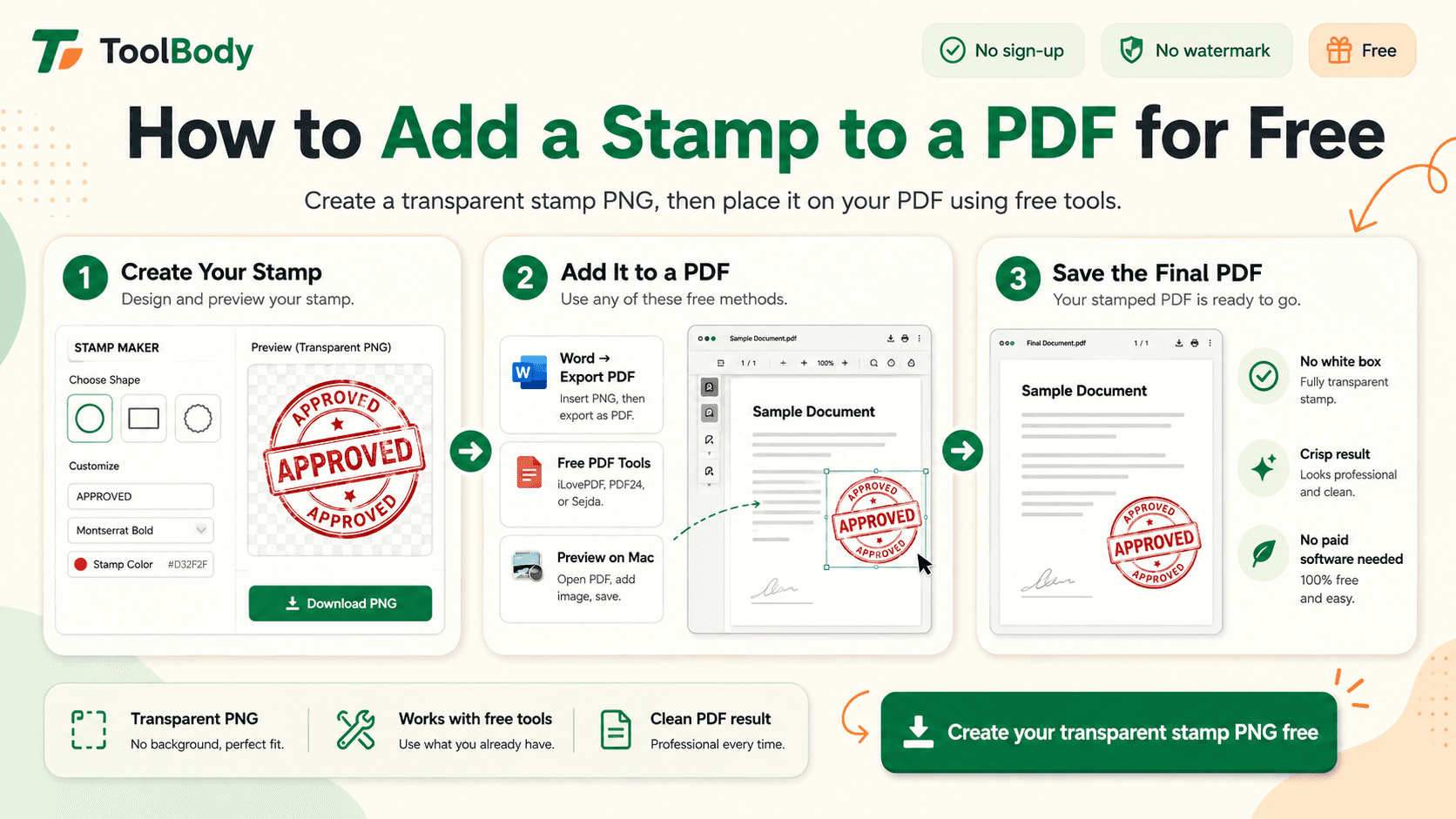
Beyond physical stamps, a digital stamp design can be used immediately on PDFs, Word documents, invoices, and images — something a traditional stamp cannot do without scanning first.
Who Can Benefit from an Online Stamp Maker?
Small Business Owners
Business owners often need stamps for invoices, receipts, and official documents. A custom stamp with the company name, address, and logo adds a professional touch to any paperwork.
Freelancers
Freelancers dealing with contracts, invoices, and client documents can use a personalized stamp to look more professional and build trust with international clients.
Teachers and Educators
Teachers frequently use stamps for grading assignments, motivating students, or marking attendance sheets. A fun, custom-designed stamp adds a personal touch to classroom materials.
Event Organizers
For events, weddings, or special occasions, custom stamps can be used on invitations, tickets, or merchandise for a unique branding touch.
Hobbyists and Crafters
Scrapbooking, card-making, and other creative hobbies often use decorative stamps. An online tool allows crafters to design stamps that match their unique creative vision.
How to Use a Free Online Stamp Maker (Step-by-Step)
Using an online stamp maker is a simple process. Here's a general guide:
Step 1: Choose a Template Start by selecting a shape — round, rectangular, oval, or square — depending on your intended use.
Step 2: Add Your Text Type in the text you want displayed on your stamp, such as your company name, "APPROVED," "PAID," or any custom message.
Step 3: Customize the Design Adjust the font style, size, and alignment. Add borders, decorative elements, or a logo if the tool supports image uploads.
Step 4: Select Ink Color Choose from various ink colors like black, blue, or red, depending on your branding or personal preference.
Step 5: Preview Your Stamp Most tools offer a live preview so you can see exactly how your stamp will look before finalizing it.
Step 6: Download Your Design Once satisfied, download your stamp in your preferred format — PNG for digital use, or PDF/SVG if you plan to get a physical stamp made later.
Tips for Designing the Perfect Stamp
Keep text concise – Stamps work best with short, clear text. Avoid overcrowding the design.
Choose readable fonts – Decorative fonts may look nice but can reduce legibility, especially on smaller stamps.
Match your branding – If you're using the stamp for business purposes, ensure the colors and fonts align with your existing brand identity.
Test different sizes – Preview your stamp at different sizes to ensure the text remains clear when printed or stamped physically.
Use contrast wisely – Dark ink colors on a light background (or vice versa) improve visibility and professionalism.
Digital vs. Physical Stamps: What's the Difference?
A common question users have is whether an online stamp maker creates a physical stamp or just a digital image.
Most free online stamp makers primarily generate digital stamp images that can be used directly on documents, PDFs, and digital paperwork. However, many tools also allow you to export your design in formats like SVG, EPS, or PDF — files that can be sent to a professional stamp manufacturer to produce an actual physical rubber stamp.
This dual functionality makes online stamp makers incredibly versatile: you get an instant digital solution for immediate use, plus the option to order a physical version later if needed.
Common Use Cases for Stamp Designs
"PAID" stamps for invoices and receipts
"APPROVED" or "REJECTED" stamps for document review processes
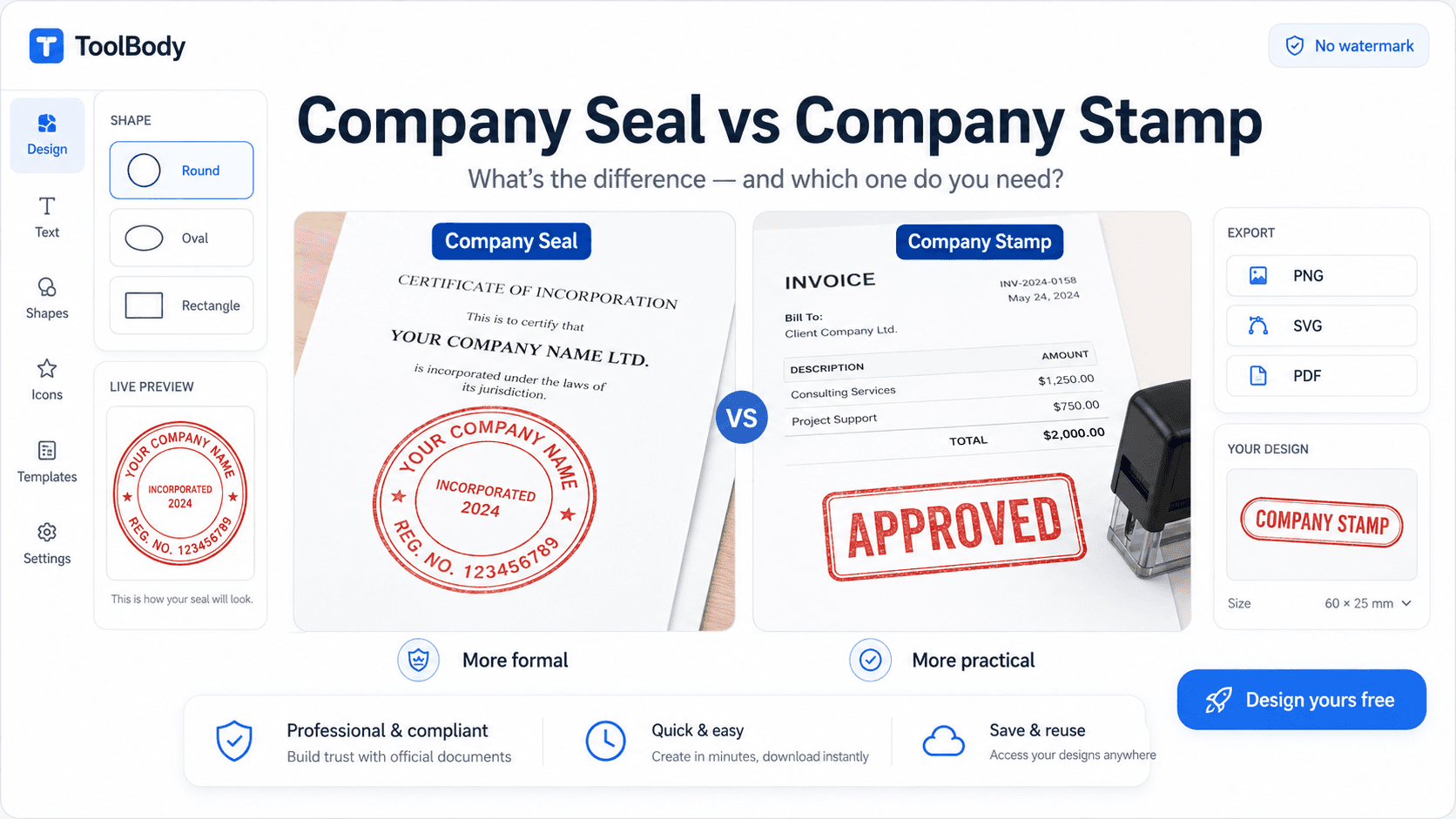
Company seals for official business documents
Signature stamps for repetitive signing tasks
Date stamps for tracking document submission
Custom logo stamps for branding purposes
Educational stamps for grading or reward systems
Are Free Online Stamp Makers Safe to Use?
Most reputable free online stamp makers operate entirely within your browser using technologies like HTML5 Canvas. This means your design data isn't necessarily uploaded to an external server, offering a good level of privacy. However, it's always wise to review the specific tool's privacy policy, especially if you're uploading sensitive logos or business information.
Look for tools that clearly state "no upload," "runs in your browser," or "nothing is saved" to ensure your data remains private throughout the design process.
FAQs
Yes, most free online stamp makers let you design and preview your stamp at no cost. Some tools may charge a small fee only if you want to download in premium formats or remove watermarks.
No installation is required. A free online stamp maker works entirely in your web browser — you just need an internet connection to access the tool.
Yes, most stamp maker tools allow you to upload your own logo or image and place it within the stamp design alongside your text.
Common formats include PNG, PDF, SVG, and EPS. PNG is ideal for digital use, while SVG and PDF are better if you plan to get a physical stamp manufactured later.
Most reputable tools process your design directly in your browser without uploading it to a server, keeping your information private. Always check the tool's privacy policy to confirm.
Yes, digital stamps created online can be added to invoices, contracts, and other business documents. However, for legally binding official seals, check your local regulations first.
No, free online stamp makers are built for beginners. You simply choose a template, type your text, and customize colors and fonts — no design experience needed.
While the tool itself generates a digital design, you can export the file in formats like SVG or PDF and send it to a professional stamp manufacturer to produce a physical stamp.