Free Online Stamp Maker App – Stamp Generator Free, Convert Picture to Stamp, Date, Rectangle & Oval Stamp Online
Free online stamp maker app to create a stamp generator free design in seconds. Make date, rectangle and oval stamps from scratch or convert a picture to stamp online, then download.
Free Online Stamp Maker App: Create, Customize and Download Stamps in Minutes
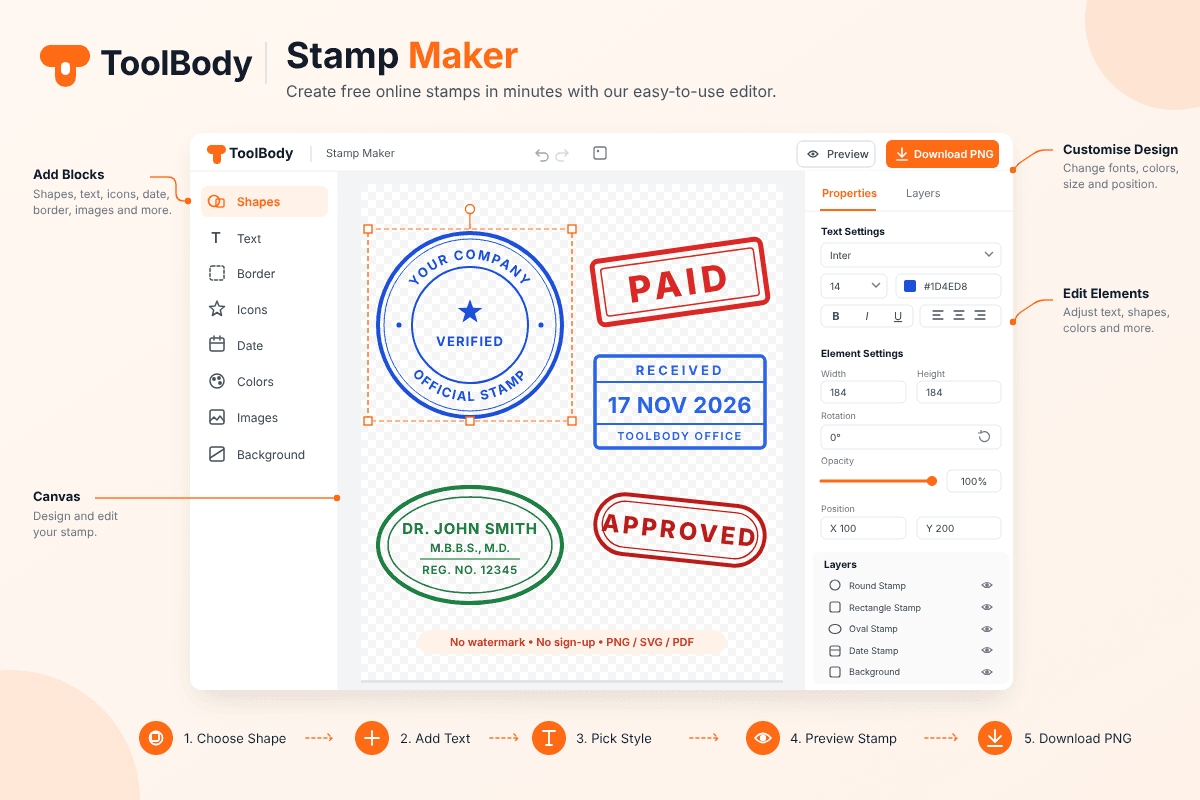
Need a professional stamp for an invoice, a letter, a certificate or a PDF contract, but don’t want to wait days for a rubber stamp to be made? A free online stamp maker app lets you design one in your browser in a few minutes. You choose the shape, type your text, pick a color, and download the finished stamp. There is no software to install, no watermark on your design, and no sign-up form standing between you and your file.
This guide explains how an online stamp generator works, which stamp types you can make, how to convert a picture to a stamp online free, and how to get a clean, professional result every time.
What Is a Free Online Stamp Maker App?
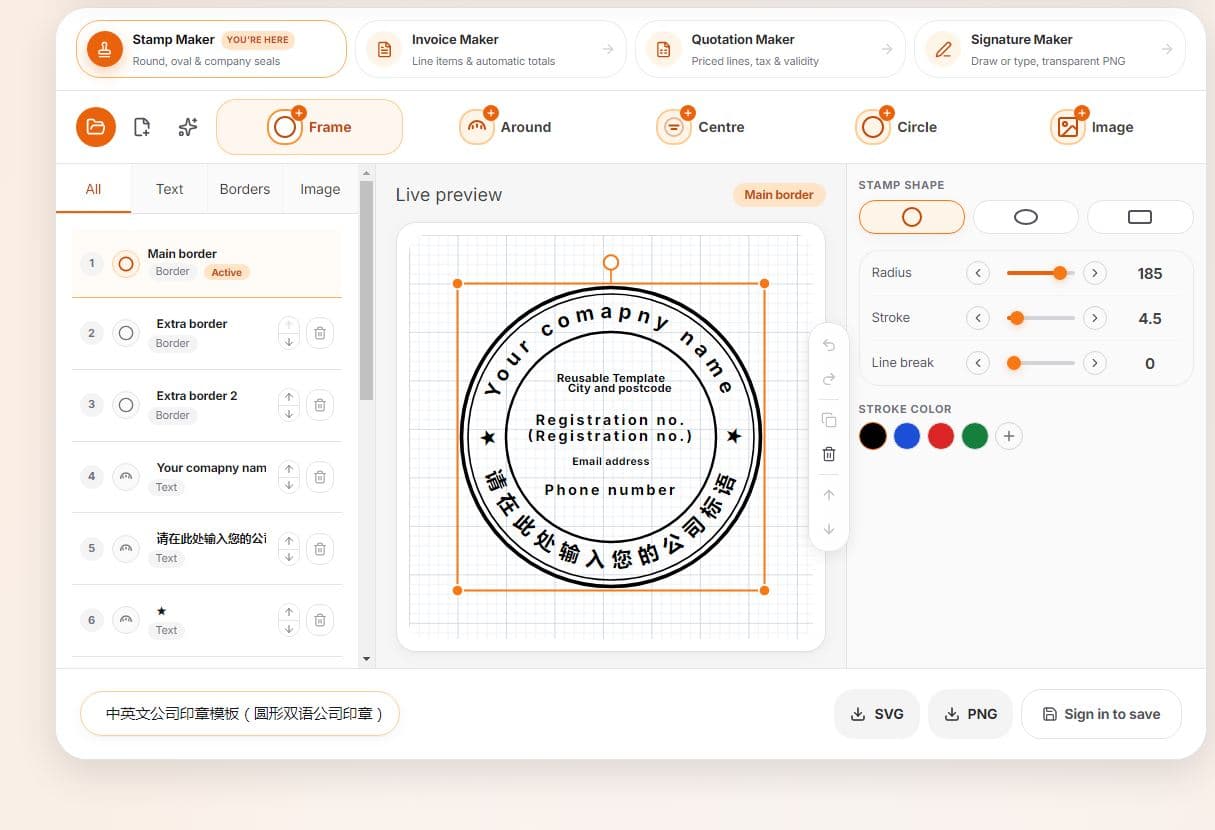
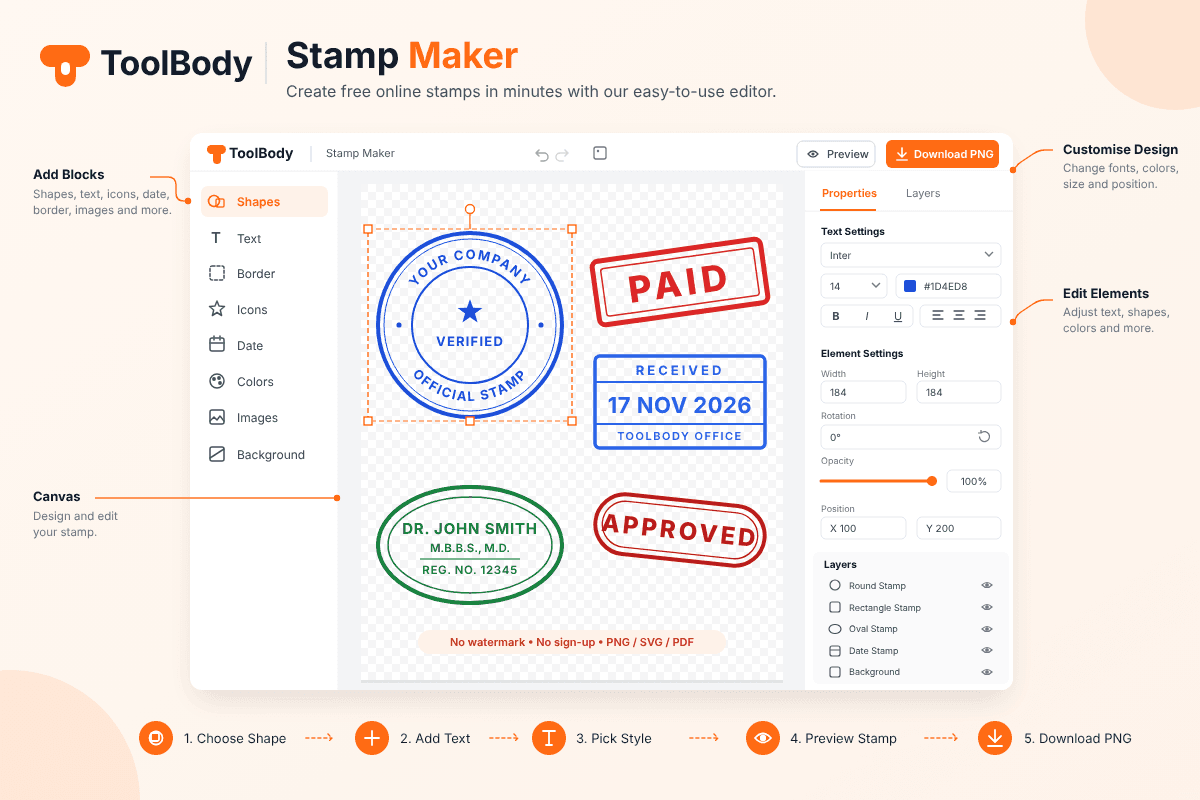
A free online stamp maker app is a web-based design tool built for one job: creating stamp artwork. Instead of opening a complicated design program, you work with a simple editor made specifically for stamps. It gives you ready-made shapes, border styles, text rings, center icons and color options, so you only have to fill in your own details.
Because it runs online, it works on a phone, tablet or computer. Open the page, design your stamp, and download it. That is why people searching for “stamp maker online free” or “stamp generator free” usually want the same thing: a fast result without cost or hassle.
Why Use an Online Stamp Generator Instead of a Rubber Stamp?
Physical stamps still have a place, but most day-to-day documents today are digital. Invoices go out as PDFs, agreements are signed on screen, and certificates are shared on WhatsApp or email. A digital stamp fits that workflow better.
Speed: You can create a stamp in minutes instead of waiting for a shop to make one.
Cost: A free online stamp maker and download option costs nothing, while custom rubber stamps are charged per piece.
Easy changes: Business name changed? Date different today? Edit the text and download again.
Reusable file: One digital file can be placed on unlimited documents.
Multiple designs: You can keep a round company stamp, a “PAID” stamp and an “APPROVED” stamp ready at the same time.
For freelancers, small businesses, students and offices, an online stamp generator saves both time and money.
Types of Stamps You Can Create
A good tool should cover the shapes people actually use. Here are the most common ones.
Round Stamp
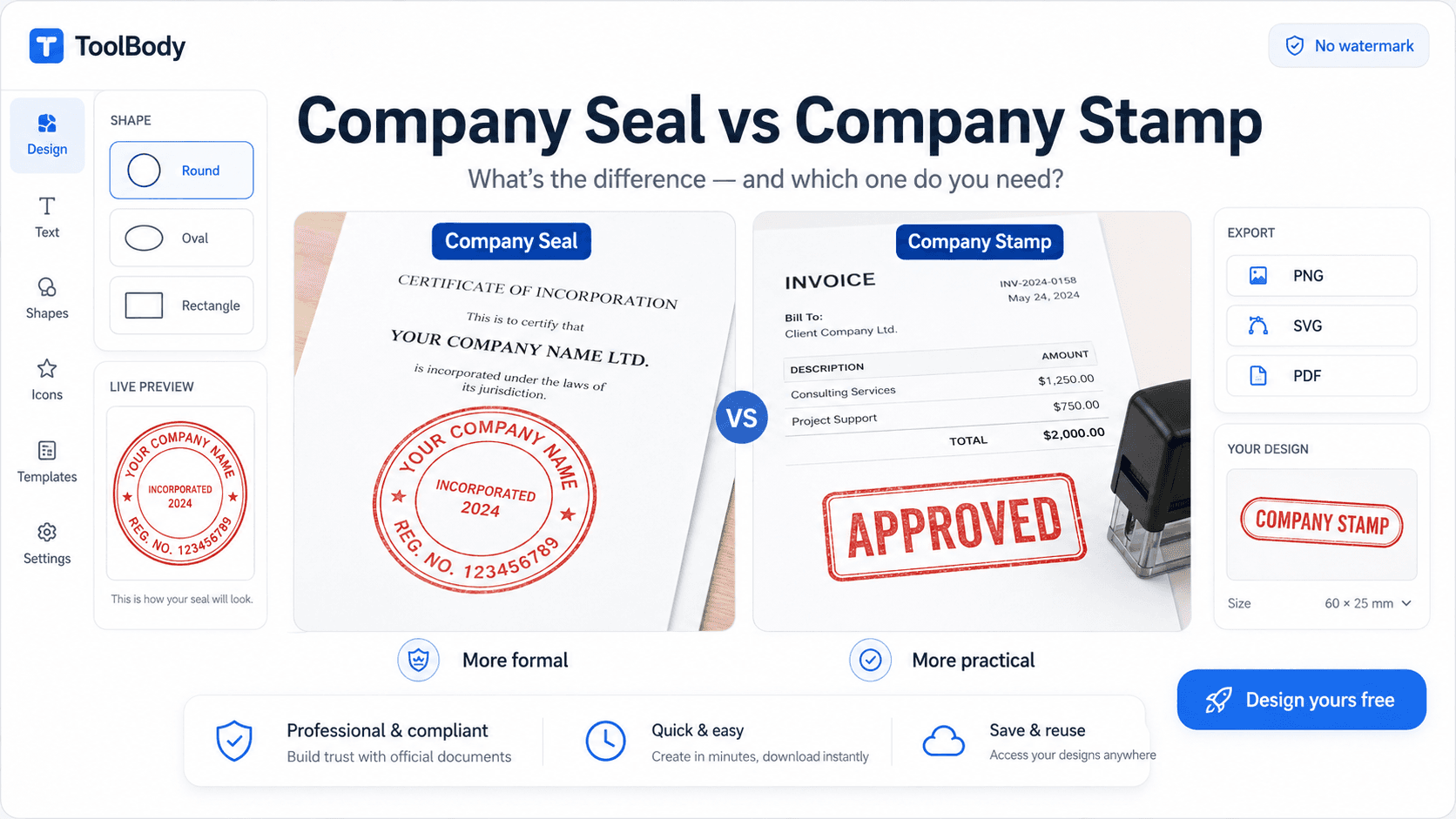
The round stamp is the classic company stamp. The business name runs around the outer ring, and the center holds a short word, a city name, a registration detail or an icon. It looks official and is widely accepted on letters, bills and forms.
Rectangle Stamp
If you are looking for a rectangle stamp maker online free, you probably want something for quick labeling. Rectangle stamps suit words such as PAID, RECEIVED, APPROVED, URGENT or CONFIDENTIAL. They are also popular for address stamps and name-and-designation stamps because text fits neatly in straight lines.
Oval Stamp
An oval stamp maker online free is useful when you want a formal look that is a little different from the round style. Oval stamps are common for professionals such as doctors, lawyers, engineers and consultants, where the name, title and registration number need more horizontal room.
Date Stamp
A free online date stamp generator lets you add a date to your stamp so a document shows exactly when it was received, processed or approved. Date stamps are used a lot in offices, accounts departments and delivery records. Since you can change the date each time, one design can serve you every day.
Company and Approval Stamps
Company stamps carry your business name and details. Approval stamps carry short status words such as VERIFIED, CHECKED or APPROVED. Both help documents look organized and trustworthy.
How to Convert a Picture to Stamp Online Free
Many people already have a logo, a handwritten mark or an old scanned stamp and want it as a clean digital stamp. This is what people mean when they search for “convert picture to stamp online free.”
The process is simple:
Take a clear photo or scan of your existing stamp or logo on plain white paper.
Upload the image to the tool.
Let the tool remove the background so only the ink-like part remains.
Adjust size, color and sharpness until it looks natural.
Download it as a PNG so the background stays transparent.
For the best result, use good lighting and keep the paper flat. A blurry or shadowed photo gives a rough edge, while a sharp scan gives a smooth, professional stamp. A transparent background matters because it lets the stamp sit naturally on top of any document without a white box around it.
How to Make a Stamp Online: Step by Step
You don’t need design skills to use a stamp generator free of charge. Follow these steps:
Choose a shape. Pick round, rectangle, oval or date style depending on where you will use it.
Type your text. Enter your business name, title or status word. Keep it short and clear.
Add details. Put a city, registration number or a small line in the center or lower area.
Pick a color. Blue and red are the most common stamp colors, though you can choose others.
Adjust the layout. Change font size, spacing and border thickness until everything is balanced.
Preview. Check the stamp on a light background to confirm it is readable.
Download. Save it in the format you need and use it right away.
The whole process normally takes only a few minutes.
Key Features to Look For
Not every tool is equally good. When you pick a free online stamp maker app, check for these points.
No watermark: Your downloaded stamp should be clean, with no logo of the website on it.
No sign-up: You should be able to start designing immediately.
Multiple export formats: PNG gives a transparent background, SVG stays sharp at any size, and PDF is handy for documents.
Full customization: Text, font, size, color, border and icons should all be adjustable.
Mobile friendly: You should be able to design from a phone as comfortably as from a laptop.
Fast loading: A light page that responds quickly saves your time.
A tool that offers all of these lets you work in a smooth, frustration-free way.
Tips for a Professional-Looking Stamp
A stamp is small, so small mistakes show clearly. These habits help.
Keep text short. Too many words make a stamp crowded and hard to read when it is placed on a document.
Use readable fonts. Simple, bold fonts work better than decorative ones at small sizes.
Stick to one or two colors. Blue and red look the most authentic and print well.
Check alignment. Make sure circular text is evenly spaced and the center element is balanced.
Download at high quality. A larger file can be scaled down without losing sharpness, while a small one gets blurry when enlarged.
Test before using. Place the stamp on a sample document to see how it looks in real use.
Where You Can Use Your Digital Stamp
A digital stamp is useful in many places:
Invoices, quotations and receipts
Business letters and letterheads
Certificates and experience letters
PDF contracts and agreements
Delivery notes and purchase orders
School and college forms
Online shop documents and packaging labels
You can insert the PNG into Word, Google Docs, a PDF editor, or any design app. Because the background is transparent, it sits cleanly over text or a signature.
A Note on Responsible Use
A stamp should represent something real. Use your own business name, your own details and your own approvals. A digital stamp is a convenience for genuine work, and in some situations an official registered or government stamp may still be required, so check the rules for your document type before relying on a digital one.
FAQs
Yes. You can create and download your stamp without paying anything. There is no hidden fee for basic downloads.
No. Your final file is clean and ready to use.
No sign-up is needed. Open the page and start designing.
Yes. You can pick round, rectangle, oval and date styles, and customize each one.
Yes. Upload a clear image of your logo or an existing stamp, remove the background, and download it as a transparent PNG.
Use PNG for documents and images with a transparent background, SVG when you need a sharp file at any size, and PDF when you want a document-ready copy.
Yes. The tool works in your phone’s browser, so you can design and download anywhere.
Yes. Just edit the date and download a new copy whenever you need.