Free AI Text to Speech Online Unlimited – AI Voice Generator
Free AI text to speech generator online. Convert text to voice with a natural AI voice generator, unlimited and easy to use, a simple Google text to speech alternative.
Free AI Text to Speech Generator – Convert Text to Voice Online
Reading is not always the easiest way to take in information. Sometimes you are driving, cooking, or simply tired of staring at a screen. Other times you need a voiceover for a video, a lesson, or a presentation and you do not have a microphone or a studio. A free AI text to speech generator solves all of these problems in seconds. You paste your words, press a button, and listen to a clear, natural voice read them back to you.
This guide explains what text to speech is, how AI voice technology works, what to look for in a good online generator, and how to get the best audio from every piece of text you convert.
What Is Text to Speech?
Text to speech, often shortened to TTS, is technology that turns written words into spoken audio. A text to voice generator reads the text you give it and produces a sound file or a live voice that pronounces every sentence aloud.
Early TTS systems sounded robotic. Each word was stitched together from small recorded sounds, and the result was flat and hard to listen to for more than a minute. Modern AI text to speech is very different. It learns from huge amounts of human speech, so it understands rhythm, stress, and pauses. The voice rises at the end of a question, slows down at a comma, and sounds far closer to a real person.
How Does an AI Voice Generator Work?
An AI voice generator follows a few clear steps behind the scenes.
Text analysis. The system reads your text and cleans it up. It works out how to say numbers, dates, abbreviations, and symbols. For example, it decides whether "2026" should be read as a year or as a plain number.
Language and pronunciation. The engine figures out how each word should sound, including tricky words that are spelled the same but pronounced differently depending on context.
Prosody prediction. This is the musical part of speech: pitch, speed, emphasis, and pauses. A neural network predicts how a human would naturally deliver the sentence.
Audio creation. Finally, the model turns all of that information into a sound wave that you can play, download, and share.
Because every step is learned from real speech, the output keeps improving as the technology advances. That is why searches such as "text to speech ai" and "free ai voice generator" have grown so quickly.
Why Use a Free Text to Speech Generator Online?
You could install software, but an online tool is simpler for most people. Here are the main advantages.
No installation. Open the page in your browser on a phone, tablet, or computer and start working immediately.
Free to try. You can test the voice quality before deciding how much you want to rely on it.
Fast results. Short texts convert in a few seconds, so you can edit and re-listen as often as you like.
Works anywhere. All you need is an internet connection and a browser.
Easy sharing. Download the audio and send it, upload it, or embed it in your own project.
How to Use This Text to Speech Generator
Using the tool takes less than a minute.
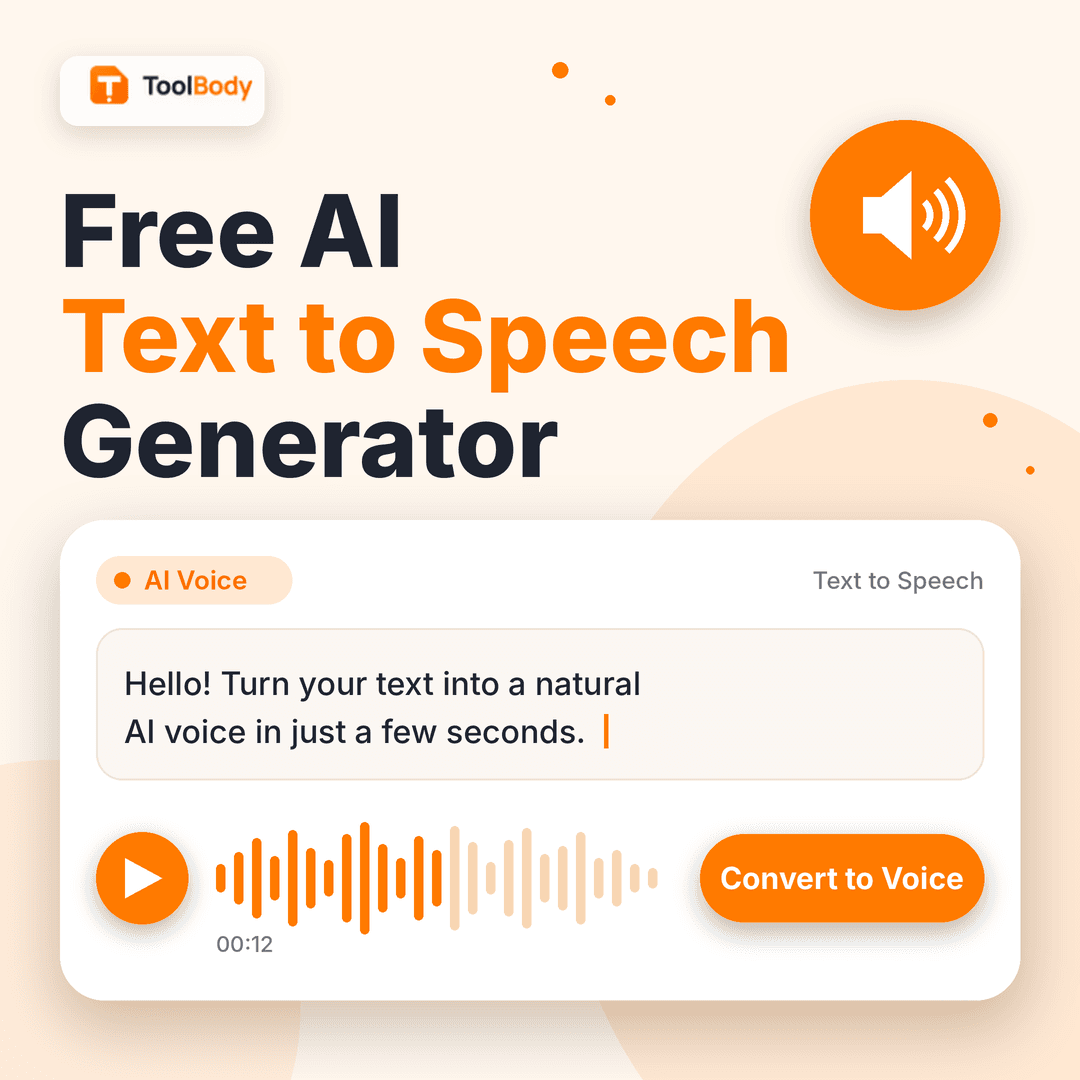
Type or paste your text into the box. You can write a single sentence or a long passage.
Choose your voice and language settings if the options are available.
Adjust the speed so the speech feels comfortable. A slightly slower pace is good for learning, while a faster one suits quick proofreading.
Press the convert button and wait a moment for the audio to be created.
Listen to the result. If a word sounds wrong, change the spelling or add punctuation and try again.
Download the audio and use it wherever you need it.
Key Features of a Good AI Voice Generator
Not every text to speech tool is equal. When you compare options, look for these qualities.
Natural sounding voices. The most important feature is how human the voice feels. Listen for smooth pacing and correct emphasis rather than a monotone delivery.
Clear pronunciation. A strong tool handles names, numbers, and common abbreviations without stumbling.
Speed and pitch control. Being able to slow down or speed up the voice makes the audio useful for many more situations.
Simple interface. You should not need training to use it. A text box, a voice choice, and a convert button are usually enough.
Fair usage limits. Many people search for "text to speech online free unlimited" because they do not want to be stopped halfway through a long document. Always read the usage terms of the tool you choose so you know exactly what is included.
Good audio quality. The downloaded file should be clean, without background noise or sudden cut offs.
Who Can Benefit from Text to Voice Technology?
Students and learners
Listening while reading improves understanding and memory. Students can paste notes or study material into a text to speech generator and listen on the way to school. Language learners can hear how a sentence should sound and practice repeating it.
Content creators
YouTubers, podcasters, and social media creators often need narration. An AI voice generator lets them add a voiceover to a video without recording equipment. It is also handy for quick drafts, so you can hear how a script flows before you commit to a final recording.
Businesses and marketers
Companies use TTS for explainer videos, product demonstrations, phone menus, training material, and presentations. It keeps the voice consistent across every piece of content and saves time compared with scheduling a recording session.
People with reading difficulties
Text to speech is a valuable accessibility tool. People with dyslexia, low vision, or eye strain can listen to text instead of reading it. It makes websites, documents, and messages more inclusive.
Writers and editors
Hearing your own writing read aloud is one of the best ways to catch mistakes. Awkward sentences, repeated words, and missing punctuation become obvious when you listen instead of read.
Busy professionals
Long emails, reports, and articles can be turned into audio and heard during a commute or a walk. This turns idle time into productive time.
Tips for Getting the Best Audio Quality
A small amount of preparation makes a big difference to how your generated voice sounds.
Use proper punctuation. Commas create short pauses and full stops create longer ones. Without them, the voice can sound rushed.
Keep sentences short. Shorter sentences are easier for the voice to deliver naturally.
Spell out difficult items. If a number, abbreviation, or unusual name is read incorrectly, write it out the way it should sound.
Break long texts into sections. Converting a few paragraphs at a time lets you check quality and fix problems early.
Listen before you download. Always preview the audio. A quick listen can save you from sharing a file with a mispronounced word.
Match the speed to the purpose. Narration for beginners should be slower, and a quick summary can be faster.
Text to Speech vs. Google Text to Speech
Many people begin by searching for "google text to speech," because it is built into many phones and apps and is widely known. It is a good basic option for reading screen text aloud. An online AI text to speech generator, however, is usually designed for a different job: creating a polished audio file you can download and reuse. If your goal is to make voiceovers, lessons, or shareable audio, a dedicated online generator gives you more control and a simpler workflow than a built-in system feature.
What Does "Free and Unlimited" Really Mean?
You will often see the words free and unlimited together in this field. Free means you can use the basic features without paying. Unlimited means there is no strict cap on how much you can convert. Because running AI voices costs real computing power, different services set different rules, such as character limits per request or daily usage limits. The honest approach is to read the terms before you rely on any tool for a large project. If you only need short clips, a free tool is usually more than enough.
Is It Safe and Private?
Privacy matters when you paste text into any website. Avoid entering passwords, banking details, or private personal information. For ordinary content such as study notes, blog drafts, scripts, and public documents, a text to speech tool is a safe and convenient helper. If you work with sensitive business material, check the privacy policy of the service first.
FAQs
A free AI text to speech generator is an online tool that converts written text into spoken audio using artificial intelligence. You type or paste your text, press a button, and listen to a natural-sounding voice read it aloud.
Paste your text into the box, choose your voice and speed if the options are available, and click the convert button. Once the audio is ready, you can play it right away or download it.
Yes, you can use the basic features for free. Please check the usage terms on the page for any limits, such as the maximum text length per conversion.
No installation is needed. The generator works directly in your web browser on a phone, tablet, or computer.
Older systems joined small pre-recorded sounds together, which made the voice flat and mechanical. An AI voice generator learns from real human speech, so it handles pauses, stress, and rhythm much more naturally.
Yes, you can download the audio file after conversion and use it in videos, presentations, lessons, or podcasts.
Many creators use generated voiceovers for videos, slideshows, and explainers. For commercial projects, always read the tool’s usage terms to confirm what is allowed.
Limits can differ from one tool to another. For long scripts or documents, split your text into smaller sections and convert them one by one for the best quality.
Use proper punctuation, keep your sentences short, and write difficult words or numbers the way they should sound. Listening to a preview before you download helps you catch mistakes early.
For everyday content like study notes, blog posts, and scripts, it is generally fine. Avoid pasting passwords, bank details, or private personal information into any online tool.