Business Stamp Generator Free: Design a Company Stamp Online
Design a professional company stamp or seal in minutes with a free business stamp generator. Pick a shape, add your company name and logo, and download a transparent PNG ready for documents, invoices, and print.
Every business eventually needs a stamp. A proprietor needs one to authorize invoices. A clinic needs one for prescriptions and receipts. A freelancer wants a clean "PAID" or "APPROVED" mark for client paperwork. A new company needs a formal seal for contracts and bank forms.
The old route was to visit a print shop, describe what you wanted, wait a few days, and hope the result looked professional. The digital route is faster, but many online tools let you design for free and then lock the download behind a payment or add a watermark.
That is why so many people search for a business stamp generator free of those catches. This guide covers what a good business stamp actually contains, which shape and layout to choose, how to design one that looks official rather than amateur, and how to create and download yours in a few minutes with the ToolBody stamp maker.
What Is a Business Stamp Generator?
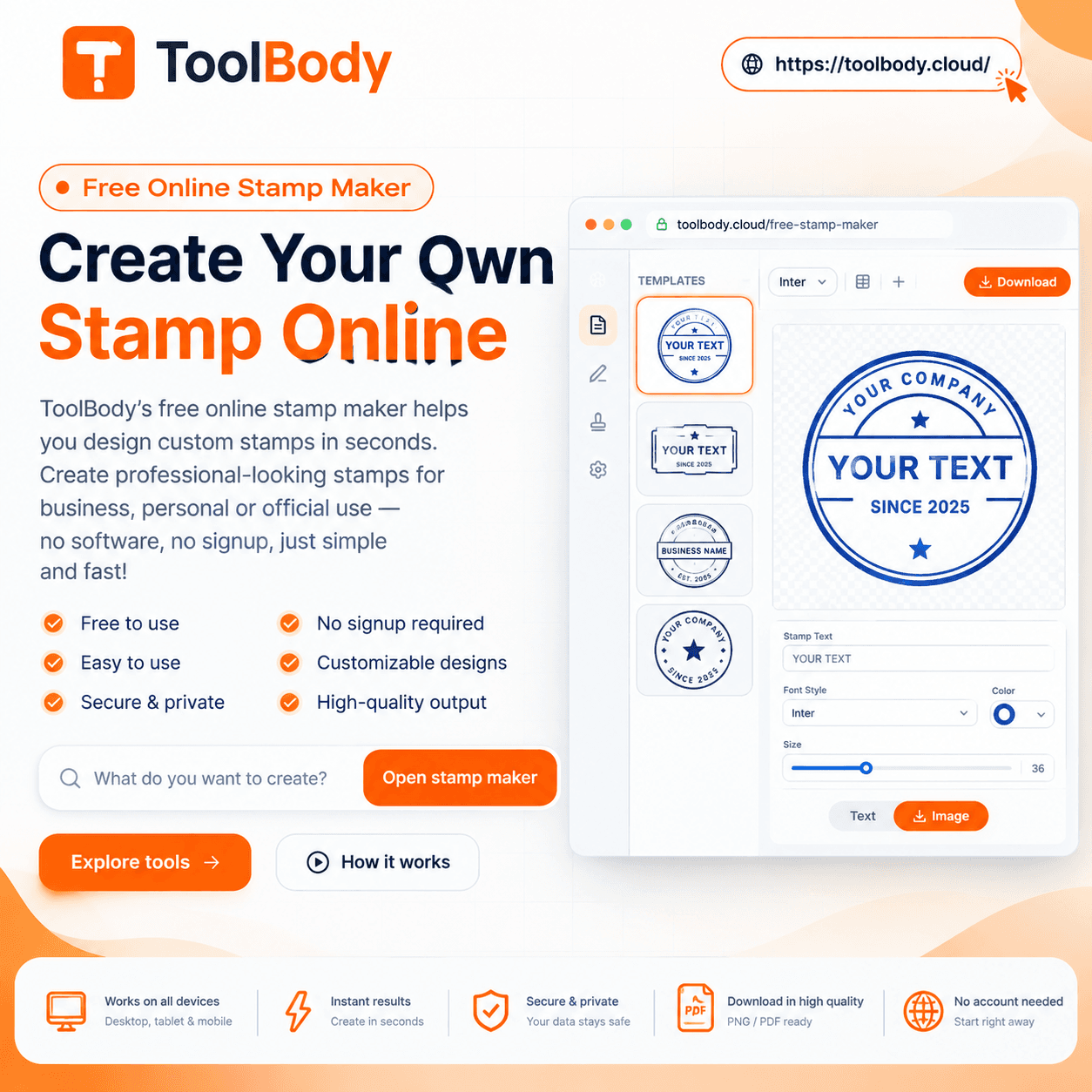
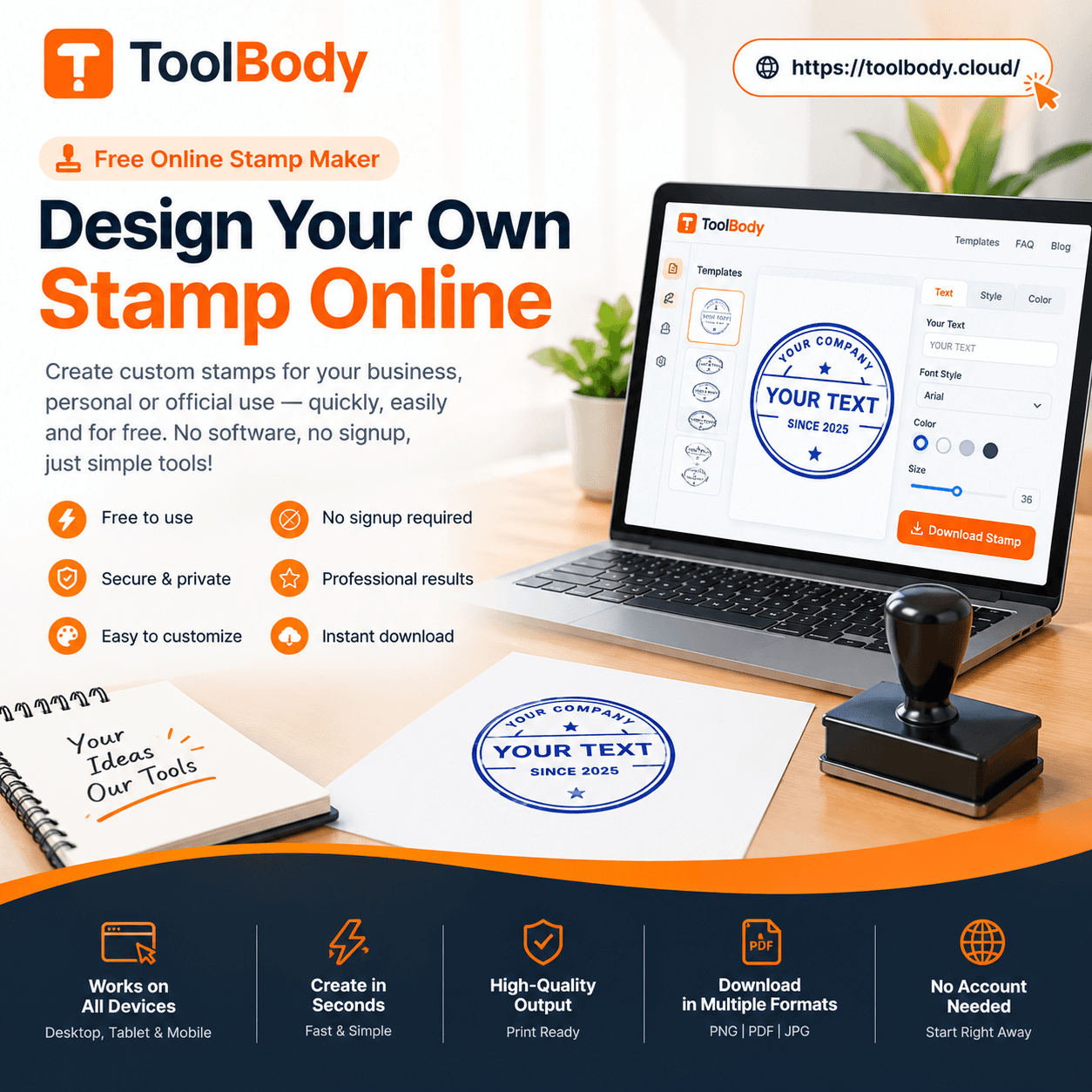
A business stamp generator is a browser-based design tool built for one narrow job: producing a stamp or seal layout without needing a designer or graphic software. You pick a shape, type your company details, add a logo or icon, adjust the border and colors, and download the result as an image.
The output is a digital stamp for documents. You can place it on PDFs, Word files, invoices, and certificates, or send the same file to a manufacturer to produce a physical self-inking or rubber stamp.
Digital stamp vs physical stamp
A physical stamp is inked and pressed onto paper. A digital stamp is an image file, usually a transparent PNG, that you insert into a document on screen. They serve the same purpose: showing that a document is authentic, approved, paid, received, or issued by a particular company.
Most businesses now need both. Paperwork increasingly moves as PDF attachments, so a digital version saves you from printing, stamping, and scanning. A physical stamp still matters for walk-in customers, delivery notes, and any process that happens on paper.
The advantage of designing online first is that one design covers both cases. Create it once, use it digitally today, and order a physical stamp from the same file whenever you need one.
Why "free" matters more than it sounds
Stamps are small, functional items. Paying a subscription to design one feels disproportionate, especially for a sole trader or a startup watching every expense. A free business stamp maker should let you design and download a usable, watermark-free file for everyday use, not just preview it.
What Should a Business Stamp Include?
Before opening any tool, decide what goes on the stamp. This is where most designs go wrong: people try to fit everything, and the stamp becomes unreadable at real size.
A well-designed official business stamp usually contains three layers of information.
1. The primary identity
This is the company name, and it should be the largest, most legible text on the stamp. On a round stamp it typically curves along the top of the outer ring. On a rectangular stamp it sits on the first line.
2. Supporting details
Choose one or two of the following, depending on your country and business type:
City or country of registration
Registration, license, or tax number (for example a trade license number or VAT number)
Website or phone number
Legal form such as LLC, Ltd, FZE, or Pvt Ltd
Established year
On a round stamp these usually curve along the bottom of the ring. Do not add all of them. Two supporting details are plenty.
3. The center element
The middle of the stamp is the focal point. Common choices:
Your logo
A simple icon related to your industry
A functional word such as APPROVED, PAID, RECEIVED, ORIGINAL, or COPY
A signature line with a job title, for example "Authorized Signatory"
A date field
For a formal company seal, the center is normally the logo or an emblem. For a working office stamp, the center is often the action word.
A quick example
A small design agency in Dubai might use:
Outer ring, top: BRIGHTLINE DESIGN STUDIO
Outer ring, bottom: DUBAI, UAE · TRN 100XXXXXXXXXXX
Center: the agency logo
An accountant's approval stamp might use a rectangle:
Line 1: REVIEWED & APPROVED
Line 2: Ahmed Khan, CPA
Line 3: Date: ____________
Both are readable, professional, and take about two minutes to build in a company stamp generator.
Types of Business Stamps You Can Create
Most businesses end up with more than one stamp. Here are the designs people create most often, and how they differ.
| Stamp type | Typical shape | What it usually contains | Common use |
|---|---|---|---|
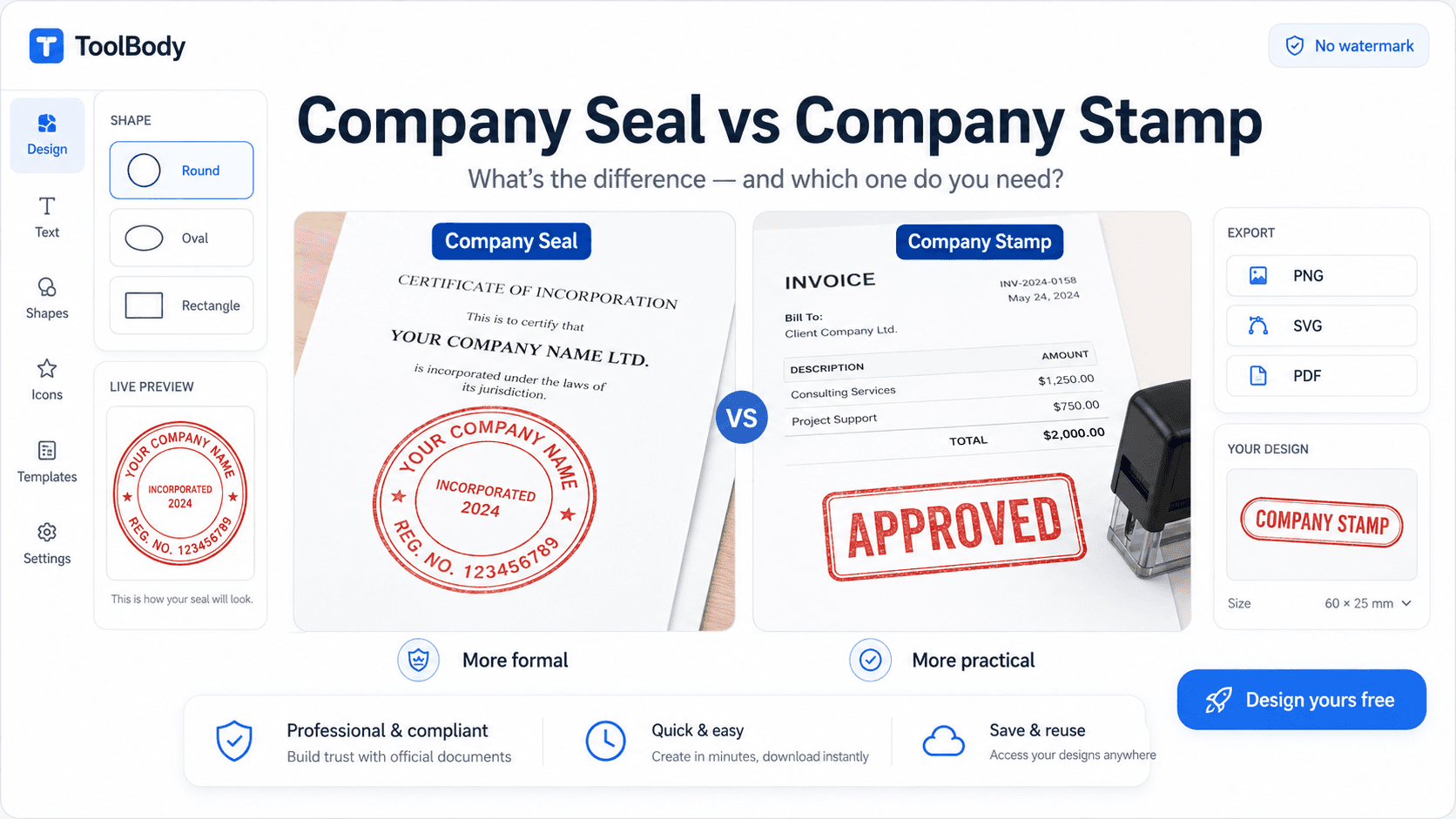
| Company seal | Round or double-circle | Company name, location or registration number, logo | Contracts, official letters, bank and government forms |
| Address stamp | Rectangle | Business name, address, phone, website | Envelopes, packaging, letterheads, delivery notes |
| Approval stamp | Rectangle or oval | APPROVED / REVIEWED, name, title, date line | Internal sign-off, purchase orders, reports |
| Paid / Received stamp | Rectangle | PAID or RECEIVED, date, reference field | Invoices, receipts, incoming mail |
| Signature stamp | Rectangle | Signature image with name and designation | Fast document signing, cheques, certificates |
| Date stamp | Rectangle | Date field, optional status word | Logging, filing, document control |
| Proprietor stamp | Round or rectangle | "For [Company Name]", Proprietor, signature line | Sole proprietorships, shop receipts, invoices |
A round stamp maker is the right starting point for the seal and proprietor stamps. Rectangular layouts work better for anything with multiple text lines, because straight text holds more information at a smaller size.
Business Stamp Design Tips That Look Professional
The difference between a stamp that looks official and one that looks homemade comes down to a handful of decisions.
Choose the right shape for the job
Round: formal, traditional, balanced. Best for seals and proprietor stamps.
Oval: slightly more space for a center word while keeping the formal feel.
Rectangle: practical and clear. Best for address, approval, paid, and signature stamps.
Rounded rectangle: modern-looking alternative for approval and status stamps.
Keep the text hierarchy clear
Your company name should be the first thing the eye reads. Supporting text should be noticeably smaller. If everything is the same size, nothing stands out.
Use strong, simple fonts
Bold sans-serif fonts such as Arial, Helvetica, or similar remain readable when the stamp is small or printed on rough paper. Serif fonts like Times or Georgia give a more traditional, legal feel. Avoid thin, script, or decorative fonts for the main text. They may look elegant on screen but break up badly when inked.
Stick to one or two colors
Traditional stamp colors are blue, red, black, and green, and each carries an association:
Blue: the most common choice for official company seals; clearly distinguishable from black printed text
Red: urgency and status words such as PAID, URGENT, CONFIDENTIAL
Black: formal, neutral, prints well on any background
Green: approvals and financial sign-off in many organizations
Using your brand color is fine for a digital stamp, but make sure it has enough contrast against white paper.
Get the border right
A single solid line is the safest choice. A double circle adds formality and is common for company seals. Very thick or ornate borders reduce the space available for text and can look cluttered at small sizes.
Design at the size you will use
A stamp that looks fine at full-screen size may be unreadable at 3 cm wide on an invoice. Zoom out while designing, or download a test version and place it on a real document before finalizing. If the smallest text is not clear at actual size, remove a line rather than shrinking the font further.
Make sure the background is transparent
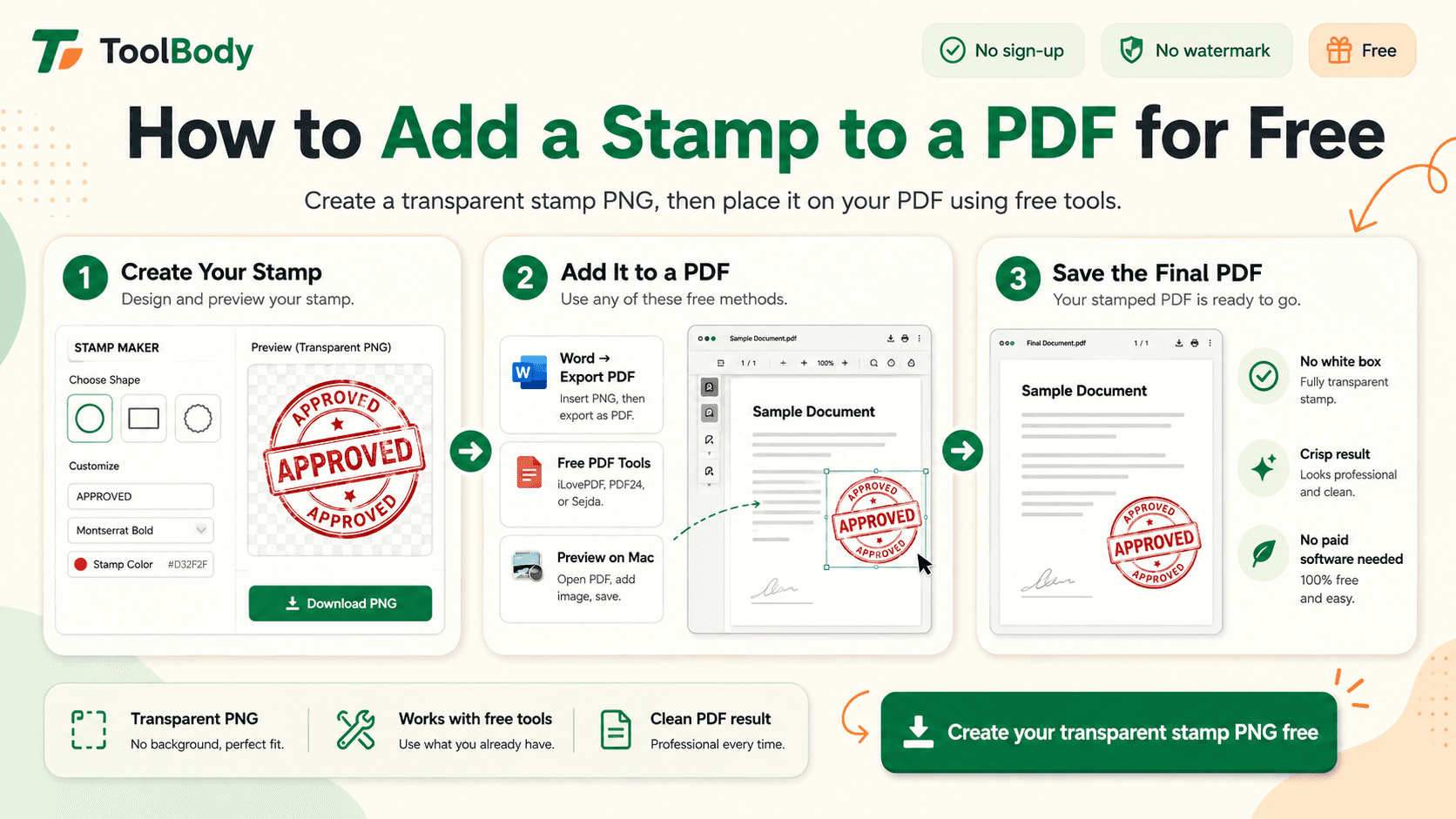
For digital use, this is non-negotiable. A stamp with a white square around it looks like a pasted-in image. A transparent PNG stamp sits over the document and looks like it was actually applied to the page.
How to Create a Business Stamp Online for Free
Here is the complete process using the free online stamp maker on ToolBody.
Step 1: Open the stamp maker
Go to the stamp maker page in any modern browser. Nothing downloads or installs, and the editor loads with a live preview of your stamp.
Step 2: Choose a shape
Select round, oval, or rectangular depending on the stamp type you decided on earlier. If you are making a formal company seal, start with round.
Step 3: Add your border
Pick a single or double border and set its thickness. Keep it moderate so text has room.
Step 4: Add the round or line text
Type your company name into the top text field. On a round stamp it will curve along the ring automatically. Add your supporting detail, such as city and registration number, to the bottom text field. Adjust the font, size, and spacing until the text sits evenly without crowding the edges.
Step 5: Add a center element
Upload your logo, choose a built-in SVG icon, or type a center word such as APPROVED or the company's short name. Resize it so it fills the middle comfortably without touching the text ring.
Step 6: Set your colors
Choose a single color for text and border, or set the logo to a second color. Preview the result on a white background to confirm contrast.
Step 7: Download your stamp
Download the stamp as a PNG with a transparent background. Save it with a clear name, for example Brightline-Company-Seal.png, so you can find it later for invoices and documents.
That is the whole workflow. Most people finish in under five minutes, and because the design is not locked to an account or software, you can come back and adjust it any time.
Free Stamp Generator vs Print Shop vs Designer
Businesses usually consider three ways to get a stamp. Here is how they compare.
| Factor | Free online stamp generator | Print or stamp shop | Freelance designer |
|---|---|---|---|
| Cost | Free for design and digital download | Design fee plus manufacturing | Design fee, often the highest option |
| Time to first result | Minutes | Days | Days to a week |
| Digital file included | Yes, immediately | Sometimes, often on request | Yes |
| Control over design | Full, real-time preview | Limited to what the shop offers | High, but through feedback rounds |
| Revisions | Unlimited, instant | Extra cost and delay | Usually limited rounds |
| Physical stamp | Send the file to any manufacturer | Included | Send the file to a manufacturer |
| Best for | Small businesses, freelancers, quick approval stamps, digital use | Businesses that only need a physical stamp | Complex branded emblems and heraldic seals |
For the vast majority of company seals, approval stamps, and address stamps, an online generator gives you a professional result at no cost and leaves the door open to print later.
Who Uses a Free Business Stamp Generator?
Startups and new companies
New businesses need a seal for bank account opening, supplier onboarding, and their first contracts, usually before there is a budget for branding work. A free generator produces a clean seal on day one.
Sole proprietors and shop owners
Retailers, salons, repair shops, and small trading businesses use stamps constantly on receipts and delivery notes. A "For [Business Name] – Proprietor" stamp with a signature line is one of the most common designs created.
Freelancers and consultants
A PAID or APPROVED stamp adds a professional touch to client paperwork. Freelancers who already create documents with the free invoice maker can drop their stamp directly onto each invoice before sending it.
Accountants, lawyers, and consultancies
Professional services firms use reviewed, certified, and true-copy stamps every day. A generator lets a partner create a personal approval stamp with their name and designation in minutes.
Clinics, schools, and institutions
Medical centers, training institutes, and schools stamp certificates, reports, and letters. A round institutional seal with the organization name and an emblem is the standard design.
Real estate and property management
Agents and property managers stamp tenancy contracts, handover forms, and receipts. Quick access to a digital stamp means documents can be finalized from a phone on site.
Common Business Stamp Mistakes and How to Avoid Them
Too much text
The most frequent problem. If your stamp has five lines of information, nobody can read any of them. Keep it to the company name, one or two supporting details, and a center element.
Low contrast or light colors
Pastel or light gray designs disappear on paper and look faint on screen. Use a saturated color and a bold weight.
Logo too detailed
Complex logos with fine lines and gradients turn into a blur at stamp size. Use a simplified, single-color version of your logo, or replace it with a clean icon.
White background on a digital stamp
Always download a transparent PNG for digital use. If you already have a stamp with a white box, recreate it in the generator rather than trying to erase the background.
Inconsistent versions
Once your design is final, use the same file everywhere. Different versions of the same stamp on different documents look unprofessional and can raise questions about authenticity.
Forgetting the physical use case
If you plan to order a rubber stamp from the design, avoid very thin lines and tiny text, and check that the file is high resolution before sending it to the manufacturer.
Why Choose ToolBody for Your Business Stamp?
There are plenty of stamp tools online, and many of them let you design freely but restrict the download. ToolBody takes a different approach.
Free to design and download. You can create your stamp and download a transparent PNG without paying for a plan.
Real-time visual editor. Shapes, borders, curved text, center text, and image uploads all update live, so you see exactly what you are getting.
Logo and icon support. Upload your own logo or use built-in SVG images to give the stamp a proper center element.
Works with your other documents. ToolBody is a set of online tools that fit together. Design your stamp, create a matching signature with the free signature maker, and apply both to invoices and PDFs from the same place.
Runs anywhere. Browser-based, so it works on Windows, Mac, Linux, Chromebook, and mobile with nothing to install.
Tips for Using Your Business Stamp
Once your stamp is ready, a few habits will keep documents looking consistent and credible.
Keep a master file. Store the original PNG in a shared, backed-up location so everyone in the business uses the same version.
Standardize placement. Decide where the stamp goes on invoices, letters, and contracts, and use the same position every time. Bottom right, near the signature, is the common convention.
Size it consistently. A company seal at roughly 3 to 4 cm wide on an A4 document is a good starting point. An approval stamp can be smaller.
Combine with a signature. A stamp alongside a signature looks more official than either alone, especially on contracts and certificates.
Update when details change. New address, new license number, or a rebrand means a new stamp. Because the design lives online, updating it takes a minute rather than a reorder.
Order a physical version when needed. Send your downloaded file to a local stamp shop or online manufacturer to produce a self-inking or rubber stamp that matches your digital one exactly.
Final Thoughts
A business stamp is a small detail that signals a lot: that your company is established, organized, and pays attention to how its documents look. Getting one no longer requires a print shop visit or a designer's invoice.
With a business stamp generator free of watermarks and lock-ins, you can decide what goes on the stamp, pick a shape that suits its purpose, design it with clear text and a simple logo, and download a transparent PNG ready for invoices, contracts, certificates, and print.
Open the stamp maker on ToolBody, build your company stamp in a few minutes, and start using it on your documents today.
FAQs
Yes. ToolBody's stamp maker lets you design a business stamp in your browser and download it with a transparent background at no cost. There is no software to install.
Most company stamps include the business name, a short descriptor such as the city or registration number, and a center element like a logo or the word APPROVED. Keep it to three or four pieces of information so the stamp stays readable.
Yes. You can upload your logo as a PNG, JPG, or SVG and place it in the center of the stamp, or choose one of the built-in icons instead.
Round stamps are the traditional choice for official company seals and look formal. Rectangular stamps suit address, invoice, and approval stamps because they hold more lines of text. Oval stamps sit between the two.
Yes. Download the stamp as a transparent PNG and insert it into any PDF editor, Word, Google Docs, or invoice as an image. The transparent background lets it sit cleanly over the page.
A digital stamp is widely accepted for invoices, quotations, receipts, and internal approvals. Requirements for formal legal or government filings vary by country, so check local rules for those specific documents.
Yes. Download the design, then send the file to a local stamp shop or online stamp manufacturer. A clean, high-contrast design with bold text reproduces best on rubber.
Yes. It runs in the browser, so it works on phones and tablets as well as Windows, Mac, and Chromebook. A larger screen makes fine alignment easier.
PNG with a transparent background is the best all-round choice for documents and PDFs. If the tool offers SVG, use it when you need the stamp at very large sizes or for printing.
Yes. Open the stamp maker again, rebuild or adjust the text, border, or logo, and download a new version. Nothing is permanent, so updating an address or job title takes a minute.