Free Payslip Generator Online: Salary Slip Maker in PDF & Excel
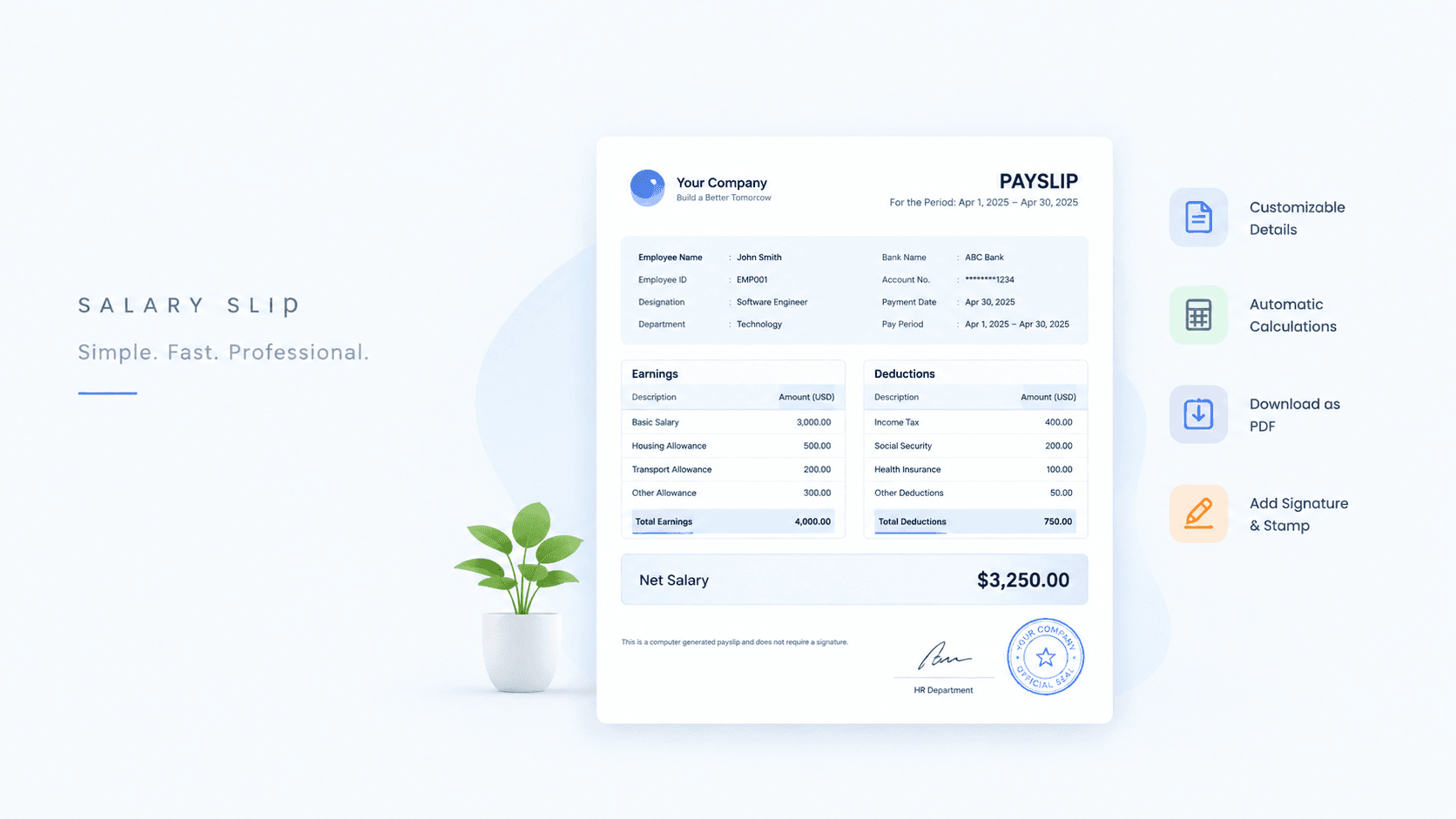
Create a professional payslip in seconds with our free payslip generator. Use the salary slip format, add earnings and deductions, and download your salary pay slip online as PDF or Excel.
Free Payslip Generator Online: Salary Slip Maker in PDF & Excel
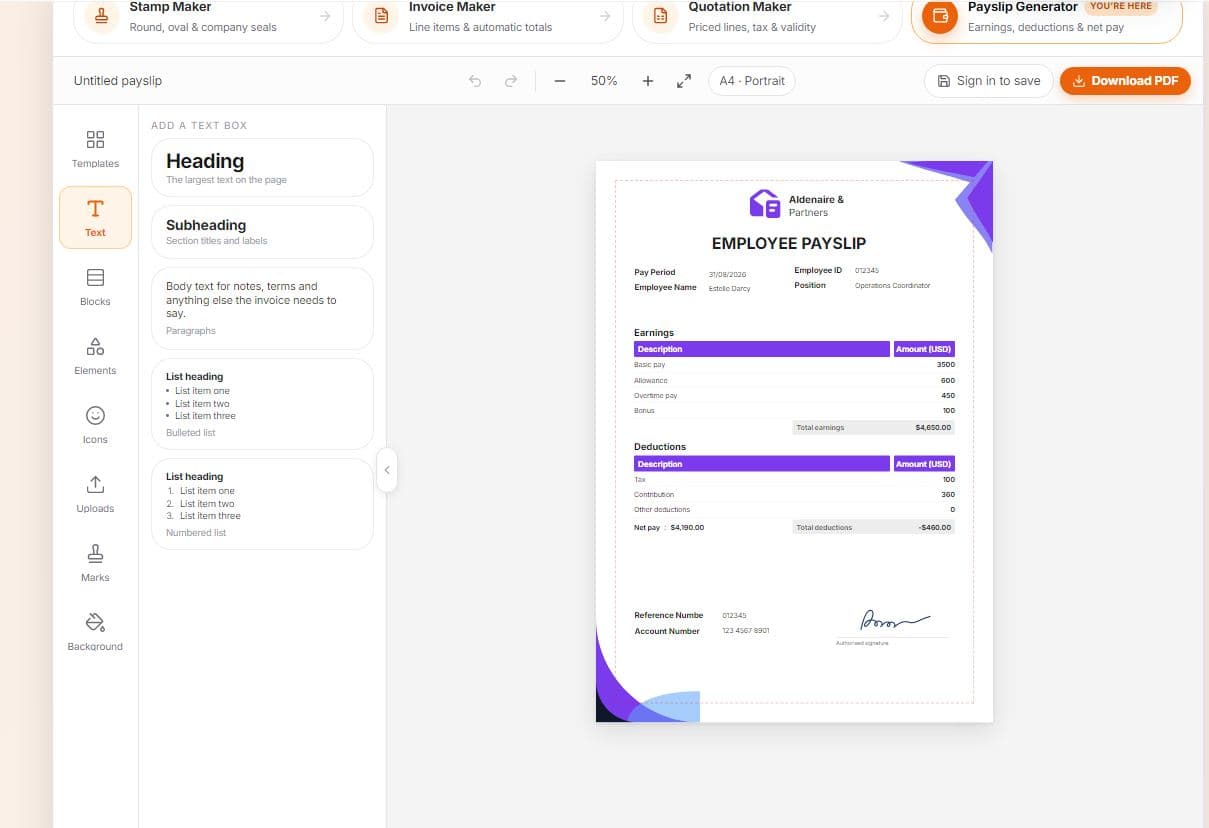
Creating a payslip should not take hours. Whether you run a small business, manage HR for a growing team, work as an accountant, or need a salary slip for your own records, a free payslip generator online saves you time and removes the stress of formatting everything by hand. With a good salary slip maker, you enter a few details, check the preview, and download a clean payslip in PDF or Excel within minutes.
In this guide, you will learn what a payslip is, what a proper salary slip format contains, how to create a salary pay slip online, how earnings and deductions work, and how to avoid the most common mistakes. You will also find tables, a worked calculation example, and answers to the questions people ask most often.
What Is a Payslip?
A payslip, also called a salary slip or pay slip, is a document that an employer gives an employee after paying their salary. It shows how much the employee earned in a pay period, what was deducted, and what amount was finally paid. Most employers issue a payslip every month, though some issue them weekly or every two weeks.
A payslip is more than a receipt. It acts as proof of income and is commonly requested for:
Bank loans and credit card applications
Rent agreements and housing applications
Visa and immigration applications
Job changes and background verification
Tax filing and personal financial planning
Because the payslip is used in so many places, it must be clear, accurate, and well organized. That is exactly where a payslip maker helps.
Why Use a Free Payslip Generator Online?
Many small businesses still prepare salary slips in Word or Excel from scratch. That works, but it is slow and easy to get wrong. An online salary slip generator solves these problems.
1. It saves time. Instead of building a layout every month, you fill in a form and the tool does the formatting.
2. It reduces calculation errors. Gross pay, total deductions, and net salary are calculated automatically, so you avoid simple addition mistakes.
3. It looks professional. A consistent, clean layout builds trust with employees and with any third party who reads the slip.
4. It is free and easy. You do not need accounting software or design skills. Any person can create a payslip with basic computer knowledge.
5. It works on any device. You can generate a payslip from a phone, tablet, or computer.
6. It supports multiple formats. Downloading as PDF gives you a document that is easy to share and print, while Excel lets you edit and reuse the data.
Key Features of a Good Salary Slip Maker
Not every tool is equally useful. When you choose a payslip generator, look for the features in the table below.
Feature | Why It Matters |
|---|---|
Ready-made salary slip format | Saves time and gives a standard, professional layout |
Earnings fields (basic, HRA, allowances, bonus, overtime) | Lets you record every part of the employee’s pay |
Deduction fields (tax, PF, insurance, loans) | Shows exactly what was deducted from gross pay |
Automatic net pay calculation | Removes manual math and reduces errors |
Company name and logo option | Adds branding and makes the slip look official |
Live preview | Lets you check the payslip before downloading |
PDF download | Easy to print, email, and share |
Excel download | Easy to edit, store, and reuse for future months |
Mobile-friendly design | Works smoothly on phones and tablets |
Free to use | No hidden cost for small businesses and freelancers |
How to Create a Payslip Online in 5 Easy Steps
Using an online payslip generator is simple. Follow these steps.
Step 1: Enter Company Details
Add your company name, address, and logo if the tool allows it. This information appears at the top of the payslip and tells the reader who issued it.
Step 2: Add Employee Details
Fill in the employee’s name, employee ID, designation, department, and joining date. If you want, include the bank account or payment method as well.
Step 3: Select the Pay Period
Choose the month and year for which the salary is being paid. Also enter the number of working days and, if needed, the number of days the employee was present or on leave.
Step 4: Add Earnings and Deductions
Enter every earning component, such as basic salary, house rent allowance, conveyance, bonus, and overtime. Then add deductions such as income tax, provident fund, insurance, and any loan repayment.
Step 5: Preview and Download
Review the payslip preview. Check names, dates, and amounts. When everything looks correct, download the salary slip in PDF for sharing or in Excel for editing and record keeping.
What to Include in a Salary Slip Format
A complete salary slip format has a standard set of sections. If any important section is missing, the payslip may be rejected by a bank, embassy, or new employer.
Section | Details to Include |
|---|---|
Company information | Company name, address, logo, contact details |
Employee information | Name, employee ID, designation, department, date of joining |
Pay period | Month and year, pay date, working days |
Earnings | Basic salary, allowances, bonus, overtime, other income |
Deductions | Tax, provident fund, insurance, loan repayment, other deductions |
Gross salary | Total of all earnings before deductions |
Total deductions | Total of all deductions |
Net salary | Gross salary minus total deductions |
Payment details | Payment method, bank name, or account reference |
Signature or stamp | Authorized signatory or company stamp, if required |
Keeping these sections in the same order every month makes your payslips easier to read and easier to audit.
Understanding Earnings and Deductions
To make a correct payslip, you need to understand how pay is split into earnings and deductions.
Earnings
Earnings are everything the employee receives before any deductions. They usually include:
Basic salary: The fixed core pay, which is often the base for other calculations.
House rent allowance (HRA): A payment toward housing costs.
Conveyance or transport allowance: Support for travel to work.
Special or other allowances: Extra fixed components decided by the employer.
Bonus or incentive: Performance-based or festival payments.
Overtime: Extra pay for additional hours worked.
Deductions
Deductions are amounts taken from gross pay. They commonly include:
Income tax: Tax withheld according to local rules.
Provident fund or pension contribution: Retirement savings contributions, where applicable.
Insurance premium: Health or life insurance paid through payroll.
Loan or advance recovery: Repayment of salary advances or company loans.
Other deductions: Items such as professional tax or unpaid leave.
Quick Comparison
Point | Earnings | Deductions |
|---|---|---|
Meaning | Money added to the employee’s pay | Money taken out of the employee’s pay |
Examples | Basic, HRA, bonus, overtime | Tax, PF, insurance, loan repayment |
Effect on pay | Increases gross salary | Reduces gross salary to net salary |
Shown in | Earnings section of the payslip | Deductions section of the payslip |
Payslip Calculation Example
Here is a simple example of how a payslip is calculated. The numbers are only for demonstration. Your own figures and rules will depend on your country and company policy.
Earnings | Amount | Deductions | Amount |
|---|---|---|---|
Basic salary | 30,000 | Provident fund | 3,600 |
House rent allowance | 12,000 | Income tax | 2,500 |
Conveyance allowance | 3,000 | Insurance | 1,000 |
Bonus | 5,000 | ||
Gross salary | 50,000 | Total deductions | 7,100 |
Net salary = Gross salary − Total deductions = 50,000 − 7,100 = 42,900
A good salary slip generator performs this calculation automatically. You only enter the individual amounts, and the tool shows gross pay, total deductions, and net pay.
PDF vs Excel: Which Payslip Format Should You Choose?
Most online payslip makers let you download in more than one format. Each has its own advantage.
Point | PDF Payslip | Excel Payslip |
|---|---|---|
Best for | Sharing, printing, and submitting to third parties | Editing, tracking, and reusing data |
Editing | Difficult to change after download | Easy to edit and update |
Appearance | Fixed layout that looks the same everywhere | Layout can change depending on settings |
Security | Harder to alter accidentally | Easier to change by mistake |
Use for payroll records | Good for final copies | Good for monthly working files |
Sharing with employees | Recommended | Less common |
Our suggestion: Use Excel to keep and update your monthly payroll data, and send the final PDF payslip to employees and external parties.
Who Can Use a Free Payslip Generator?
A payslip maker is useful for many types of users.
User | How They Use It |
|---|---|
Small business owners | Create monthly salary slips without payroll software |
HR professionals | Prepare payslips quickly for a team |
Accountants | Generate slips for multiple clients |
Startups | Handle early-stage payroll at no cost |
Freelancers and contractors | Record payments made to helpers or assistants |
Household employers | Provide salary records for domestic staff |
Employees | Prepare a salary record when the original is not available |
Common Payslip Mistakes to Avoid
Even with a generator, small errors can cause problems. Watch out for these.
Wrong pay period. Always double-check the month and year before downloading.
Incorrect employee details. A misspelled name or wrong ID can make the slip invalid for official use.
Missing deductions. Leaving out required deductions can create tax or compliance issues later.
Calculation mismatches. If you edit an Excel file manually, make sure totals still match the components.
Inconsistent format. Changing the layout every month looks unprofessional and confuses employees.
No record keeping. Always save a copy of every payslip you issue.
Tips for Employers Issuing Payslips
Issue payslips on time. Give them on or soon after the salary payment date.
Keep the format consistent. A standard layout builds trust.
Protect privacy. Payslips contain personal financial data, so share them securely.
Store records safely. Keep digital copies organized by employee and month.
Follow local rules. Labor and tax laws differ from country to country, so confirm what your payslips must contain.
Check before sending. A short review prevents most errors.
Is a Generated Payslip Valid?
A payslip made with an online generator is a record of salary details prepared by the employer. For internal use and record keeping, it is perfectly fine. For official purposes such as loans, visas, or legal matters, the receiving party may ask for a company signature, stamp, or supporting documents like bank statements.
Rules differ by country and organization, so always confirm what is required. Payslips should only contain true and accurate information. Creating false income records is illegal and can lead to serious penalties.
FAQs
Yes. You can create and download payslips without paying.
Yes. You can download your payslip as a PDF for sharing and printing, or as an Excel file for editing and record keeping.
No signup is needed to generate a payslip.
You need company details, employee details, the pay period, earnings, and deductions. The tool then calculates gross and net pay.
Yes, you can add your company name and logo so the payslip looks professional and branded.
Yes. The tool works on mobile phones, tablets, and computers.
Most companies issue payslips monthly. Some issue them weekly or biweekly, depending on how often they pay salaries.
Gross salary is the total pay before deductions. Net salary is the amount the employee receives after all deductions are subtracted.
Yes. Freelancers, startups, small business owners, and household employers can all use it to record salary payments.
Many banks accept payslips, but some may also ask for a stamp, signature, or additional documents. Check the requirements of the institution you are dealing with.