Invoice Maker No Watermark: Free Clean PDF Invoices Online
Tired of free invoice tools that stamp their logo on your invoice? Create a clean, professional PDF invoice with ToolBody's invoice maker. No watermark, no sign-up, no paid plan.
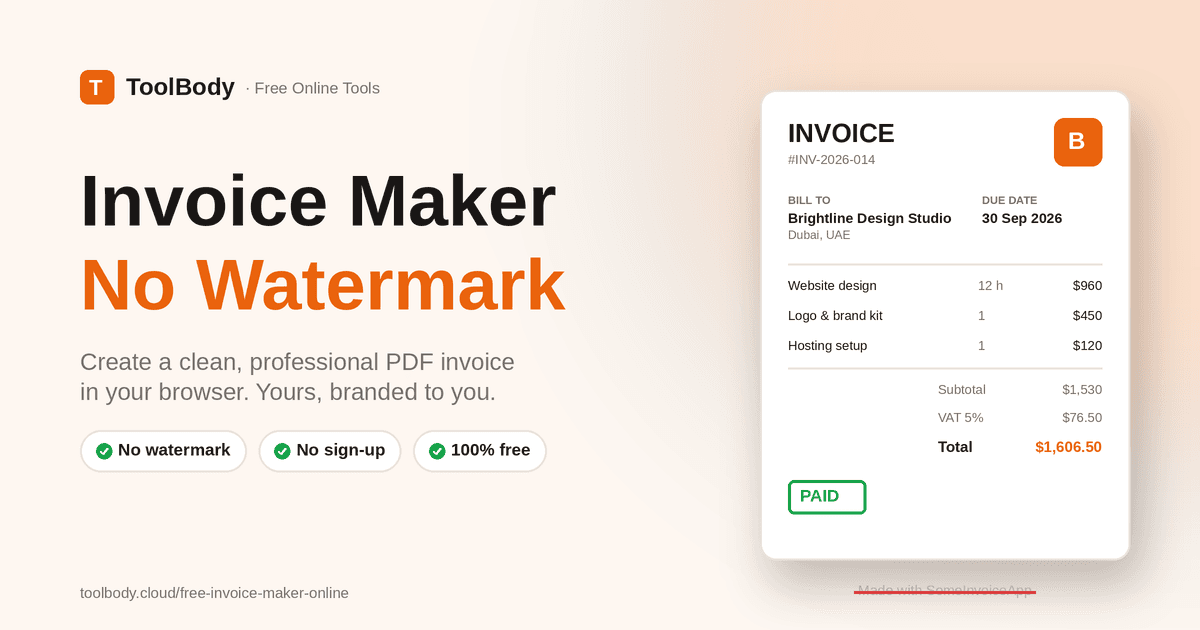
You finish a project, open a free invoice generator, fill in every field, hit download, and there it is: "Created with [SomeTool]" printed across the bottom of your invoice, or a faint logo stamped diagonally behind your totals. To remove it, you are asked to sign up, then to upgrade.
For a document that is supposed to represent your business, that is a bad look. Clients notice. And the "free" tool has just turned into a small monthly subscription for something you might use three times a month.
This is why the search for an invoice maker no watermark is so common. People do not want a full accounting platform. They want to make a proper invoice, download a clean PDF, and send it.
The ToolBody invoice maker was built for exactly that use case. It is free, runs in your browser, requires no account, and produces a PDF that carries your branding only. This guide explains why watermarks appear in the first place, what a professional invoice needs to include, and how to create one in a few minutes.
Why Do Free Invoice Generators Add Watermarks?
The answer is simple: business model. Most "free" invoice tools are the entry point to a paid invoicing or accounting product. The free tier exists to get you in the door. The watermark exists to push you through the next one.
Typical patterns you will run into:
Watermarked download. The invoice is free to design but the PDF carries the tool's branding until you pay.
Sign-up wall. The download button works only after you create an account and hand over an email address.
Monthly limits. The first two or three invoices are clean; after that you are asked to upgrade.
Trial expiry. Clean invoices for 14 days, then watermarks return.
Locked features. Logo upload, tax lines, or currency choice sit behind a paid plan.
None of these are dishonest, but they are not what most people mean by free. A free invoice maker no watermark should mean the download is clean from the first invoice, without conditions.
How ToolBody is different
ToolBody's tools are free by design rather than free as a trial. There is no paid tier, no upsell, and no account system, which also means there is nothing to push you toward. The invoice you download is yours, branded with your details, and that is the end of the transaction.
What Is an Online Invoice Maker?
An online invoice maker is a browser-based tool that gives you a ready-formatted invoice layout and handles the calculations. You fill in your business details, your client's details, the items or services, and the tax rate. The tool lays everything out professionally, adds up the totals, and produces a PDF.
Compared with building an invoice in Word or a spreadsheet, the benefits are practical:
The layout is already correct, so the invoice looks professional without formatting work
Quantity, rate, tax, and totals are calculated automatically, which removes arithmetic mistakes
The output is a fixed PDF, so the client sees exactly what you saw
It works on any device, including a phone
The best tools take this a step further with a direct-manipulation editor. Instead of filling a form on one side and watching a preview on the other, you type straight onto the invoice page itself, as if it were a sheet of paper on your screen. That is how ToolBody's editor works: you open onto a pre-filled sample invoice on an A4 canvas and simply replace the details with your own.
What a Professional Invoice Must Include
A watermark-free download is only useful if the invoice itself is complete. Missing details are the most common reason invoices are queried or paid late. Every invoice should contain the following.
Your business details
Business name, address, phone or email, and any registration or tax number required in your country, such as a VAT number, TRN, GST number, or EIN. Add your logo at the top so the document is instantly recognizable.
Client details
The client's business name (or personal name), address, and, where relevant, their tax number. Get the legal name right; accounts departments reject invoices addressed to the wrong entity.
Invoice number and dates
A unique, sequential invoice number, the issue date, and the due date. Sequential numbering matters for your own bookkeeping and is a legal requirement in many jurisdictions.
Itemized line items
Each product or service on its own line with a description, quantity, unit rate, and line total. Vague single-line invoices such as "Services rendered – $2,000" get questioned. Specific lines get paid.
Subtotal, tax, and total
Show the subtotal before tax, the tax rate and amount, and the grand total clearly. If you offer a discount, show it as its own line so the math is transparent.
Payment terms and instructions
State when payment is due (for example Net 15 or Due on Receipt), how to pay (bank transfer details, payment link, or accepted methods), and any late-payment terms. The easier you make it to pay, the faster you get paid.
Optional but useful
A short note thanking the client, a purchase order reference if they issued one, and your signature or company stamp. A stamp created with the free online stamp maker or a signature from the free signature maker can be dropped onto the invoice as an image to give it a finished, official look.
How to Create an Invoice Online With No Watermark
Here is the full process using the ToolBody free invoice maker. Most people finish their first invoice in under five minutes.
Step 1: Open the invoice maker
Go to the invoice maker page in any browser. There is nothing to download and no account to create. The editor opens with a sample invoice already filled in so you can see the finished structure immediately.
Step 2: Replace the business details
Click into the header and type your business name, address, contact details, and tax number over the sample text. Add your logo so the invoice is branded to you.
Step 3: Add your client
Fill in the "Bill To" section with the client's name, company, and address. If you invoice the same client regularly, keep a text note of their exact details so every invoice matches.
Step 4: Set the invoice number and dates
Enter a unique invoice number, the issue date, and the due date. A simple numbering scheme like INV-2026-014 works well and stays sortable.
Step 5: Enter line items
Add a line for each product or service: description, quantity, and rate. The line totals, subtotal, tax, and grand total calculate automatically as you type, so there is nothing to add up manually.
Step 6: Add tax, terms, and notes
Set the tax rate that applies to you. Add payment terms, your bank or payment details, and an optional thank-you note at the bottom.
Step 7: Review the invoice
Read through the whole page once. Check the client name, the invoice number, the due date, and the total. Ten seconds of review prevents the most common reasons an invoice gets sent back.
Step 8: Download the PDF
Click download. You receive a clean, print-ready PDF with your branding only and no watermark. Save it with a clear name, such as INV-2026-014-ClientName.pdf, and email it to your client.
Who Needs an Invoice Maker Without Watermarks?
Freelancers
Designers, developers, writers, and consultants send invoices to clients who judge professionalism by every document they receive. A watermarked invoice suggests the freelancer is cutting corners. A clean PDF with a logo suggests the opposite.
Small businesses and shops
Trading companies, repair services, and small retailers often need a printed or emailed invoice on the spot. A browser tool on a phone or the shop computer covers this without installing anything or paying monthly.
Contractors and tradespeople
Electricians, plumbers, builders, and cleaners frequently invoice from the job site. Being able to itemize labor and materials on a phone and send the PDF before leaving speeds up payment.
Side businesses and part-time sellers
If you invoice only occasionally, a subscription makes no sense. A free tool with no limits and no watermark fits an irregular workload.
Startups
New companies need invoices before they have decided on accounting software. A free maker lets them bill their first clients immediately and switch to a full system later without losing anything.
Agencies and consultancies
Even firms with accounting software use a quick invoice maker for one-off charges, retainers, or documents that need a specific layout. The clean PDF slots into their normal process.
Common Invoicing Problems and How to Fix Them
The invoice gets rejected by the client's accounts team
Usually a missing or wrong detail: the legal entity name, tax number, PO reference, or invoice number. Check the client's requirements once, then reuse the same details on every invoice.
Payment arrives late
Unclear terms are the most common cause. State the due date as a date rather than "Net 30", include complete payment instructions, and send the invoice as soon as the work is delivered rather than at month end.
Totals don't add up
This happens with manual templates. Use a tool that calculates line totals, tax, and the grand total automatically, and double-check the tax rate you entered.
The invoice looks unprofessional
Inconsistent fonts, a missing logo, cramped spacing, and, of course, a tool's watermark. A purpose-built invoice layout solves all of these at once.
The PDF is hard to read on mobile
Clients often open invoices on their phones. Keep line-item descriptions concise, avoid tiny font sizes, and stick to a standard A4 or Letter layout.
Sensitive data on shared computers
If you create invoices on a shared or public computer, download the PDF, then close the tab and clear the browser session. Avoid saving invoices to the local downloads folder on a machine that is not yours.
Why Choose ToolBody Online Tools?
ToolBody is a collection of free online tools for everyday business documents, built around a few principles.
Free without conditions. No watermark, no sign-up, no paid tier waiting behind the download button. The invoice maker is free because ToolBody's tools are free, not because you are on a trial.
Direct editing on the page. You edit the invoice itself on an A4 canvas rather than filling a form and hoping the preview matches. What you see is what downloads.
Automatic math. Quantity times rate, tax, and totals update as you type, so the numbers are right before you download.
Related document tools in one place. Need a price offer before the invoice? Use the quotation maker Need to pay staff? The payslip generator at https://toolbody.cloud/free-payslip-generator-online follows the same approach. Stamps and signatures for finishing the document are covered by the tools linked earlier.
Works on any device. Desktop, tablet, or phone, with a mobile layout designed for touch rather than a shrunken desktop page.
Tips for Better Invoices
Number invoices consistently
Pick one scheme and never repeat a number. INV-001, INV-002 or year-based numbering both work. Sequential numbers make bookkeeping and tax filing far easier.
Send invoices promptly
The sooner the invoice goes out after delivery, the sooner it gets paid. Do not batch invoices to the end of the month unless the client specifically asks for it.
Be specific in line items
"Website homepage design – 12 hours at $80" is clearer and harder to dispute than "Design work".
Show tax clearly
Separate the subtotal, the tax amount, and the total. Many clients need the tax breakdown for their own records.
Keep a copy of every invoice
Save each PDF in a folder by year and client. If a question comes up months later, you can find the exact document in seconds.
Brand every document the same way
Use the same logo, colors, and layout on invoices, quotations, and receipts. Consistency builds trust and makes your documents instantly recognizable.
Add a personal note
A single line such as "Thank you for your business" at the bottom costs nothing and improves the relationship, especially with repeat clients.
Final Thoughts
An invoice is one of the few documents every client sees. It should carry your name, your logo, and your details, not an advertisement for the tool that made it.
A genuine invoice maker no watermark removes the catch: you fill in your details, the totals calculate themselves, and you download a clean PDF without an account, a trial, or an upgrade prompt. For freelancers, small businesses, contractors, and anyone who invoices occasionally, that is all the invoicing tool they need.
Open the ToolBody online invoice maker, replace the sample details with your own, and send your next invoice looking exactly the way it should.
FAQs
Yes. ToolBody's invoice maker lets you create an invoice in your browser and download a clean PDF with no watermark, no sign-up, and no paid upgrade required.
The watermark is usually a marketing tactic. The tool is free to try, but removing the branding requires a paid plan. Tools that are free by design, like ToolBody, have no paid tier and therefore no reason to watermark your invoice.
No. ToolBody works without accounts. Open the invoice maker, fill in your details, and download the PDF directly.
Yes. You can place your logo at the top of the invoice alongside your business name and contact details so the document is branded to you, not to the tool.
Yes. Quantity times rate, tax, and the final total are calculated as you type, so you do not need to check the math by hand.
Yes. Add a tax rate and the invoice maker applies it to your line items and shows the tax amount and grand total clearly on the invoice.
Invoices download as PDF, which is the standard format clients and accountants expect. It opens on any device and keeps your layout exactly as designed.
Yes. The invoice maker runs in the browser and is built to work on mobile, so you can create and download an invoice from a phone or tablet.
Yes. An invoice is valid based on its content, such as your business details, the client, an invoice number, dates, itemized charges, and the amount due, not on which tool produced it. Follow any tax-number or format requirements that apply in your country.
A quotation is a price offer sent before the work is done. An invoice is a request for payment sent after or during the work. ToolBody has separate tools for both so each document is formatted correctly.