Online Stamp Maker Free: Every Feature Explained (No Sign-Up)
What's inside a free online stamp maker - shapes, curved text, logo upload, bilingual support, PNG and SVG export. Every feature in plain English.
A genuinely toolbody.cloud/stamp-maker-online-free">free online stamp maker should let you build any business or personal stamp you need without ever asking for payment, an email address, or a daily-limit dialog. The reality is that most tools labeled "free" stamp makers either watermark exports, paywall the SVG format, require account creation, or push you toward a $10-15 monthly subscription within the first session.
This guide walks through what a properly free online stamp maker actually offers — every feature you can use, with no upgrade prompts. Each section covers what the feature does, what you can build with it, and how it compares to paid alternatives. By the end, you'll understand exactly what the free online stamp maker can do — and why "free" here means actually free, not "free until you try to download."
What "free" should actually mean
A genuinely free online stamp maker:
Requires no account or sign-up — no email collection, no password to remember
Has no watermark on downloaded files
Has no daily, monthly, or total usage limits
Includes all file formats in the free tier (PNG, SVG, PDF)
Has no commercial use restrictions — the files you create are yours to use however you like
Doesn't push paid features through interruptive upgrade prompts mid-design
Doesn't store your work on remote servers indefinitely
If any of those points are violated, the tool isn't really free in the practical sense. It's a free trial designed to convert you to paid. The Stamp Maker on ToolBody meets all the above criteria with no asterisks.
Feature 1 — Multiple stamp shapes
The shape sets the visual character of the stamp before any other design decisions. The free stamp maker includes:
Round stamps
The most common shape for company stamps, official seals, workflow stamps (APPROVED, PAID, RECEIVED), monograms, and general business identification. Round stamps accommodate curved text on both the top and bottom arcs naturally. This is the default for almost any business use.
Oval stamps
Similar to round but with a wider horizontal axis. Suits longer company names that don't fit comfortably in a circle. Slightly more elegant feel; common for formal corporate seals and certificates.
Rectangular stamps
Best for content that doesn't curve well — address stamps with multi-line addresses, date stamps with prominent date fields, workflow stamps with multiple text elements that need to align linearly (RECEIVED ON ___ BY ___).
Custom shapes
Hexagonal, scalloped, shield, badge, and other unusual shapes are included in the free version. Useful for:
Achievement badges and certifications
Heraldic crests and traditional seals
Decorative personal stamps
Distinctive brand identity stamps
No shape is paywalled. The same shapes available to a designer using paid software are available here, in the free tier.
Browse stamp templates organized by shape and use case if you want to start from an existing design rather than a blank canvas.
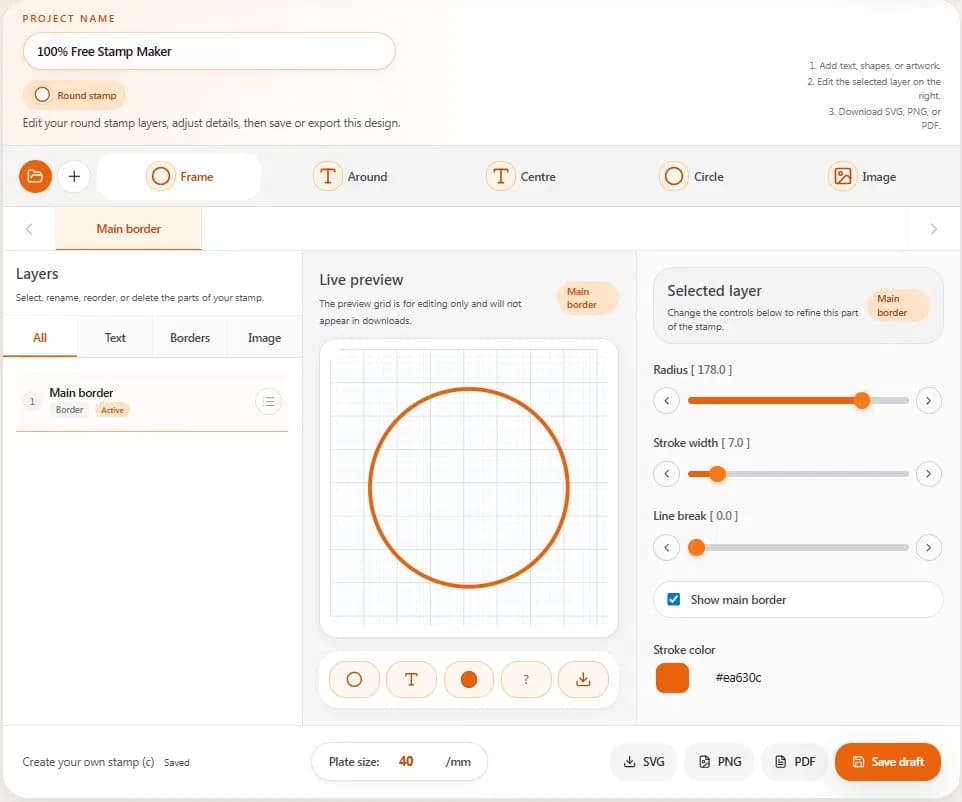
Feature 2 — Curved text on top and bottom arcs
The signature feature of round and oval stamps. Curved text follows the stamp's edge — top arc reads left-to-right around the top half; bottom arc reads in the opposite direction around the bottom half.
What you can do
Top arc — typically your company name, the stamp's main identifier
Bottom arc — typically supporting details (year founded, license number, city, tagline)
Both arcs combined — creates the conventional round-stamp look with company name on top and supporting context on the bottom
Why curved text matters
Generic image editors don't handle curved text well. You can fake it by manually rotating individual letters, but the result looks amateur. Dedicated stamp makers built curved text into the editor properly — type your text, see it appear correctly along the curve, no manual fiddling required.
The free online stamp maker handles this automatically. Type your company name into the top arc field, and the text follows the arc with proper character spacing and orientation.
Bilingual and multilingual curved text
Particularly important for businesses in markets with non-Latin scripts:
Arabic (right-to-left, contextual letter joining) — handled natively
Chinese, Japanese, Korean — character-based scripts work on arcs
Bilingual layouts — English on top arc, Arabic on bottom arc (the standard for UAE/GCC business stamps), or any other combination
The tool handles right-to-left text direction and letter joining without manual configuration.
Feature 3 — Logo upload
Upload your business logo as the center element of your stamp. Once uploaded, it appears in the stamp preview where you can resize and reposition it.
Supported logo formats
PNG with transparent background — cleanest result, recommended
SVG vector format — works for clean scaling
JPG — works but has white background that shows on the stamp (not recommended)
For the best result, use a transparent PNG. If your logo is currently a JPG with a white background, use a free background remover like remove.bg before uploading.
Logo size recommendations
Higher resolution produces sharper stamps. Aim for at least 500x500 pixels for round stamps. SVG vector logos scale without any quality loss, so dimensions don't matter as much.
Logo positioning
The uploaded logo appears in the geometric center of the stamp by default. You can:
Resize using corner handles (maintains proportions)
Reposition by dragging
Combine with center text — add small text below the logo for entity type or supporting info
For deeper guidance on logo-centered stamp design, see our companion guide on how to design a logo stamp for your business.
Feature 4 — Border style variations
The outer ring of the stamp carries significant visual weight. The free version includes multiple border styles:
Available border options
Thin single line — modern, minimalist, contemporary
Thick single line — bolder, more traditional
Double rings — formal, classic, traditional business identity
Ornamental border — most formal, used for corporate seals and traditional businesses
Dashed or dotted variations — for distinctive decorative effects
No border — for stamps where other elements provide enough structure
Choosing the right border
Match the border to the stamp's purpose:
Business/corporate stamps — thin or medium single line, sometimes double rings
Formal seals — double rings or ornamental
Personal monograms — single line or ornamental depending on style
Workflow stamps (APPROVED, PAID) — bold single line for high visibility
Modern brand stamps — thin single line or no border
All border options are available in the free tier.
Feature 5 — Color customization
Pick any color for your stamp design. The free version includes:
Standard business colors
Blue — the most common business stamp color, professional and trustworthy
Black — formal, classic, works for any context
Red — high-attention, used for status stamps (PAID, APPROVED, VOID)
Green — payment/completion stamps, sometimes used for branding
Gray — minimalist or modern brand stamps
Custom brand colors
If your business has specific brand colors, you can match them exactly using hex codes or the color picker. Brand-matched stamps create visual consistency across your invoices, letterheads, and other branded materials.
Color considerations
Contrast matters — light colors disappear on white documents
Single-color for physical stamps — multi-color stamps don't work for physical rubber stamp production
Print compatibility — colors that look good on screen don't always print well; test before producing physical stamps
Feature 6 — Multiple font options
The free version includes a range of fonts suitable for stamp use. Important categories:
Sans-serif fonts
Clean, modern, highly readable at stamp size. Default for most business stamps. Examples include geometric sans-serifs (modern feel) and humanist sans-serifs (more approachable).
Serif fonts
More traditional and formal. Common for corporate seals, formal certificates, and businesses wanting a classic feel.
Bold display fonts
High-impact, suitable for workflow stamps (APPROVED, PAID, RECEIVED) where readability at a glance matters more than elegance.
Handwriting and script fonts
For personal stamps, monograms, and signature-style stamps. Use these carefully — fine scripts can become unreadable at small stamp sizes.
Arabic and multilingual fonts
For bilingual stamps targeting UAE, GCC, and other markets. The fonts handle proper letter joining and right-to-left direction.
What to avoid
Decorative fonts with very thin strokes disappear at typical stamp sizes (30-40mm round). Stick to medium or bold weights for stamp text.
Feature 7 — Stamp template library
Instead of starting from a blank canvas, you can browse pre-built templates organized by use case:
Available template categories
Round stamps — general business and personal round stamps
Company seal templates — formal seals organized by entity type (UAE LLC, US Inc, India Pvt Ltd, etc.)
Office workflow stamps — APPROVED, PAID, RECEIVED, REVIEWED, VOID, COPY, DRAFT
School stamps — library, grading, school seal templates
Date stamps — RECEIVED ON, FILED, PROCESSED with date fields
Custom shapes — hexagonal, scalloped, badge, shield
Medical office stamps — administrative use templates
Arabic and bilingual stamps — UAE/GCC market designs
Each template opens in the editor with the layout pre-loaded. You customize the text and details, then download. Saves the time of building each stamp from scratch.
Browse the full stamp template categories to see what's available.
Feature 8 — Export formats
Three formats are included in the free tier:
PNG (transparent background)
The primary format for digital use:
Drops cleanly onto PDF invoices
Works in Word and Google Docs
Embeds in email signatures
Functions on web pages
Transparent background means no white box around the stamp
Use PNG for any digital document use.
SVG (vector)
For physical rubber stamp production:
Send to any rubber-stamp manufacturer
Specify dimensions in millimeters
Print shop produces the physical stamp
Same SVG file works for multiple physical stamps at different sizes
SVG is also the editable source format — keep it for future modifications.
For workflows that prefer PDF as input format. Less common than PNG for stamp use, but available.
What's NOT paywalled
Many "free" stamp makers offer PNG export but charge for SVG. The free Stamp Maker includes all three formats in the free tier. No format is locked behind a paid plan.
Feature 9 — Mobile and tablet support
The whole tool runs in your web browser, including mobile and tablet browsers:
What works on mobile
Touchscreen input for selecting shapes and elements
Drag-and-drop for repositioning stamp elements
Logo upload from phone photos
Full-resolution PNG and SVG download to your phone
Cloud storage integration (save directly to Google Drive, iCloud, Dropbox)
Mobile use cases
Design a stamp during a coffee break before sending an invoice
Update your business stamp while traveling
Create a quick stamp for a one-off document on the go
Touch-based drawing for handwritten stamp elements
The interface adapts to smaller screens. Touch input is the natural input on phones and tablets.
Feature 10 — Unlimited usage
No daily, monthly, or total creation limit. Specifically:
Create as many stamps as you need — no caps
Download as many times as you want — no per-file restrictions
Use the tool for years — no expiration on the free tier
No account abandonment — the tool doesn't require login to keep working
This matters because many "free" tools cap usage at 1-3 downloads per day to push you toward paid tiers. The Stamp Maker has no such cap.
What the free version doesn't include (honest limitations)
A genuinely free tool isn't a magical tool — there are real limits on what any design tool can do.
Physical stamp production
The tool designs digital stamps. Physical rubber stamps still cost money to produce ($15-30 from rubber-stamp manufacturers) — but you only pay for the physical materials and labor, not the design.
Account-based design management
There's no permanent cloud account that saves all your designs across years. Drafts live in your browser session; permanent storage is the SVG file you download.
Multi-color physical stamp production
Multi-color digital stamps work fine. Multi-color physical rubber stamps require multi-pass printing that most manufacturers don't offer (and that costs significantly more if available). For physical stamps, design with a single color.
Regulated authority stamps
Police badges, government agency seals, embassy stamps, notary seals, court stamps — these are off-limits regardless of which design tool you use. The free Stamp Maker doesn't help with these (legally it can't).
Cryptographic authentication
A stamp image is just an image. For legally tamper-evident document signing, use a regulated e-signature platform. For everyday business stamps, the free tool's output is sufficient.
Comparison: free stamp maker vs paid alternatives
A common question: what do paid stamp makers offer that the free version doesn't?
Paid features that aren't really features
Many paid stamp makers charge for:
Removing watermarks (the free Stamp Maker has none)
Unlocking SVG export (included free)
Increasing daily limits (no limits exist)
Additional templates (the free tier has hundreds)
Logo upload (included free)
Multi-language support (included free)
Real paid features
A few features genuinely require paid tools:
Team accounts with shared template libraries — useful for larger design teams
Brand management with locked corporate templates — relevant for marketing teams enforcing brand consistency
API access for programmatic stamp generation — relevant for high-volume document workflows
Customer support SLAs — paid tiers usually include guaranteed response times
For individual users, freelancers, and small businesses, these paid features rarely justify the cost. The free version covers everything needed for legitimate stamp design.
What to use your finished stamp for
Once you've downloaded the PNG or SVG, the practical uses:
On invoices
The free invoice maker has a built-in stamp upload field — drop your PNG and it appears on every invoice you create.
On PDFs
Insert the PNG using free PDF tools. See how to add a stamp to a PDF for the step-by-step.
On Word and Google Docs
Insert as image, set wrap to "in front of text," position where needed.
For physical rubber stamps
Send the SVG to a rubber-stamp manufacturer with size in millimeters.
Combined with other documents
Use across the free online tools suite — your stamp pairs with invoices and signatures created in the free signature maker for a complete professional document workflow.
Start using the free online stamp maker now
Everything covered in this guide is available right now at no cost:
Open the free online stamp maker
Pick a shape and template (or start blank)
Add your text, upload your logo, choose colors
Download as transparent PNG and SVG
About 2 minutes from start to finished file. No sign-up. No watermark. No restrictions on commercial use.
For specific stamp types and design conventions, see the companion guides below.
Related guides
The free online stamp maker — the tool itself
How to create a company stamp online — pillar how-to for company stamps
How to design a logo stamp for your business — logo-centered design in depth
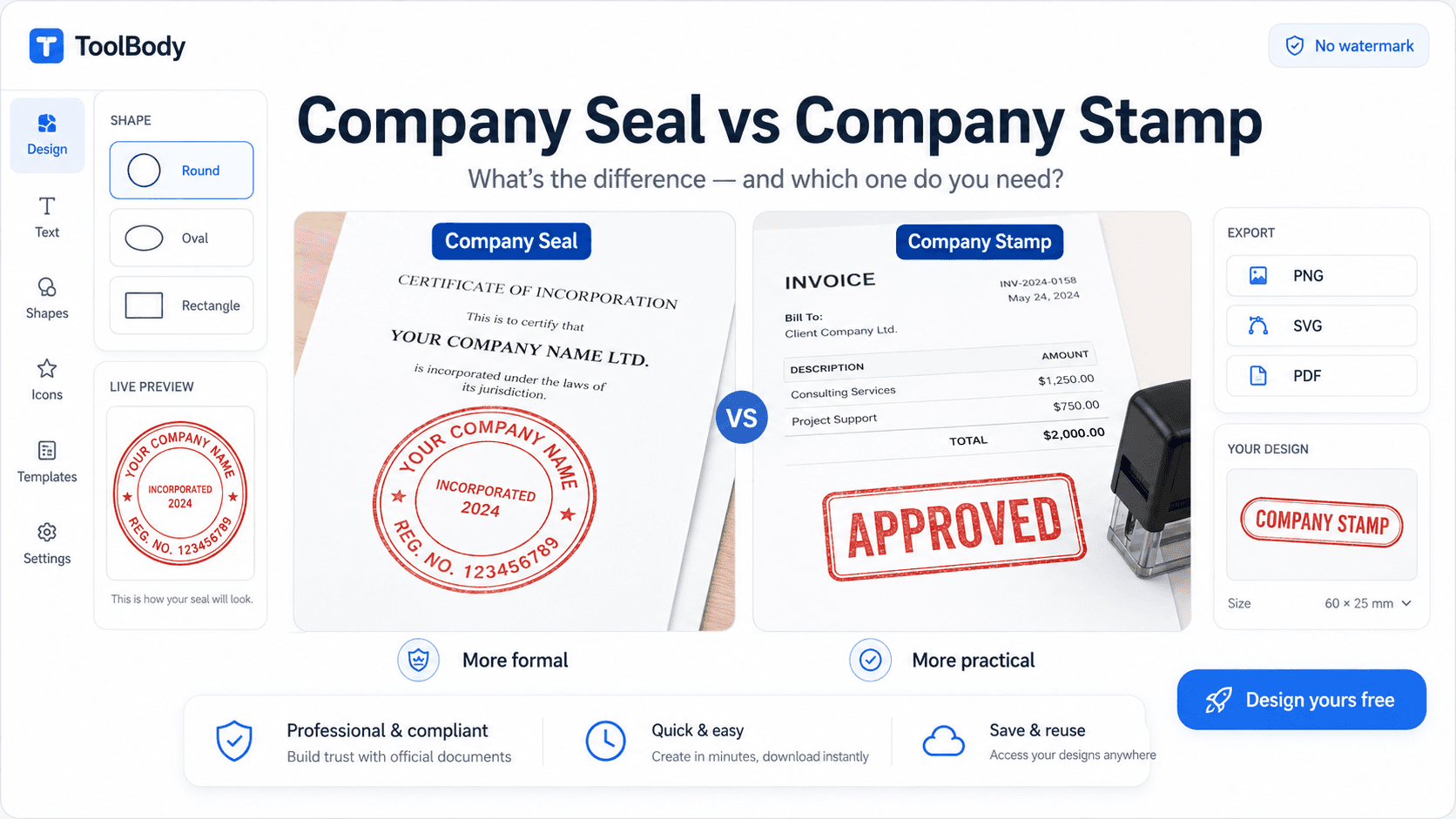
Company seal vs company stamp — choosing between formal seal and general stamp
How to add a stamp to a PDF — using your finished stamp on documents
How ToolBody works — overview of the three-tool workflow for business documents
FAQs
Six features make the difference between a usable free stamp maker and a frustrating one: multiple shape options (round, oval, rectangular, custom), curved text support for top and bottom arcs, logo upload with transparent background handling, color and border customization, transparent PNG export with no watermark, and SVG export for physical stamp production. Tools missing any of these usually push you to a paid tier for the missing feature. A genuinely free tool includes all of them at no cost.
Yes. The stamp maker accepts PNG and SVG logo uploads. PNG with transparent background works cleanest - your logo appears in the center of the stamp without any white box around it. Higher-resolution logos (500x500 pixels or larger) produce sharper results when scaled to stamp size. The uploaded logo can be repositioned and resized to fit the stamp's center area.
Yes. The tool handles right-to-left languages including Arabic correctly - proper letter joining, correct text direction on curved arcs, and bilingual layouts (English on the top arc, Arabic on the bottom arc, for example). This is particularly relevant for businesses in the UAE, Saudi Arabia, and wider GCC markets where bilingual stamps are standard. Chinese, Japanese, Korean, and other scripts are also supported with appropriate fonts.
Yes. SVG vector export is included in the free tier - no paywall. The SVG file is print-shop ready: send it to any rubber-stamp manufacturer with your size specification in millimeters (typically 30-40mm for business stamps) and they can produce a physical stamp from your digital design. The same SVG file can be used for multiple physical stamps if you want different sizes.
Round, oval, rectangular, hexagonal, scalloped, shield, and badge shapes are all available in the free version. Round is the most common for business stamps and company seals. Oval suits longer company names. Rectangular works for address and workflow stamps. Custom shapes (hexagonal, shield, badge) are used for certification badges, decorative seals, and unique brand identity stamps.
Yes. The whole tool runs in your browser, including mobile browsers on iPhone and Android. The interface adapts to smaller screens. Touch input works for resizing and repositioning stamp elements. You can design a stamp on your phone during a coffee break and download the PNG file the same way you would on desktop.
No. There's no daily limit, monthly cap, or total stamp count restriction. Design as many stamps as you need. Each downloaded file is yours with no usage restrictions. The tool doesn't track or limit how many times you use it.
No. The PNG, SVG, and PDF exports contain only your stamp design - no watermark, no 'made with' text, no tool branding. The files are clean and ready to use on documents immediately. This is one of the key differences between genuinely free tools and freemium tools that watermark to force you onto paid plans.
The stamp maker is browser-based and saves drafts in your browser session, so you can return to a design within the same session. For permanent storage, download the SVG file - it's the editable source format. PNG exports are flattened images and can't be re-edited. Most users save both formats: SVG as the editable master file, PNG as the ready-to-use version. Save these to cloud storage (Google Drive, Dropbox, iCloud) for access across devices.
Yes. Anything you create and download from the free stamp maker is yours to use for any personal or commercial purpose - invoices, business correspondence, marketing materials, packaging, physical rubber stamps, branded merchandise. No licensing fees, no royalties, no commercial use restrictions. Your downloaded files belong to you.